

Age Verification Pro
Add-on ID: kv_age_verification · Edition: CS-Cart & Multi-Vendor · Latest version: 1.0.1 · Compatible with: CS-Cart & Multi-Vendor 4.17.2 – 4.22.x, PHP 7.4 – 8.3 · Changelog: view
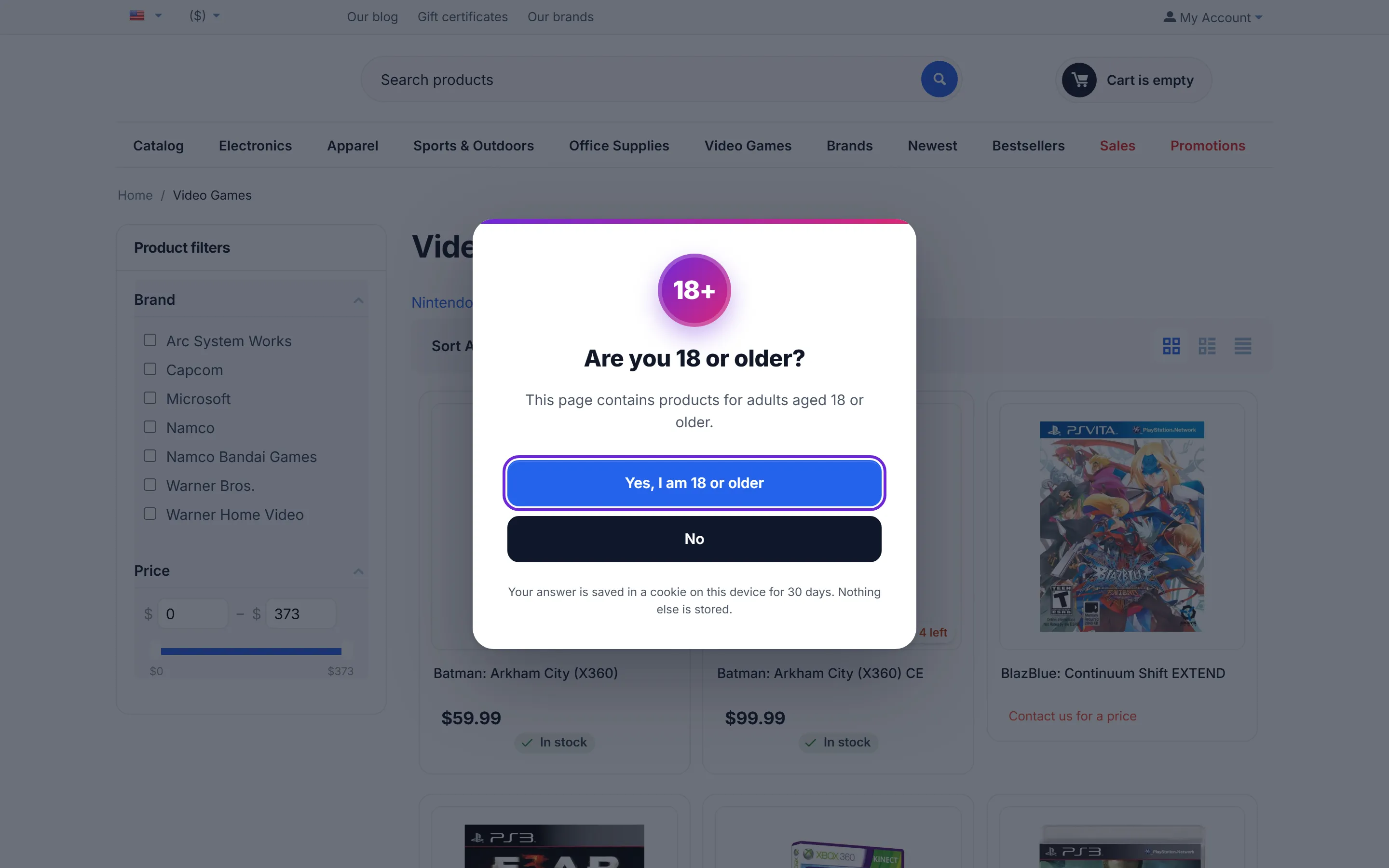
Age Verification Pro is for stores and marketplaces that sell age-restricted products such as vapes, e-liquids, alcohol, CBD or knives. You set a minimum age on categories, products and (on Multi-Vendor) vendors. Visitors see a modern age gate on restricted pages or on the whole store, and at checkout the customer confirms their age against the strictest item in the cart. An order is not placed when the date of birth is under the age. The result of every check is stored on the order and in an audit log you can export.
Important: this add-on records the customer’s own confirmation of age (a date of birth or a declaration). It is not an identity or ID-document check and does not use any external verification service. It does not make a store compliant with any law by itself: check which method the laws of your market require (for example an ID check on delivery) and use the add-on as one part of it.
What it adds to CS-Cart
Section titled “What it adds to CS-Cart”CS-Cart has a core Age verification add-on. It asks the visitor to type an age on a separate page, stores the answer in the session and filters product lists by it. Age Verification Pro goes further:
| Core Age verification | Age Verification Pro | |
|---|---|---|
| Where the age is asked | Separate page (redirect) | Modal on the page, keyboard and screen reader friendly |
| Answer stored | In the session (every guest gets a session) | In a cookie on the visitor’s device, for N days |
| Full page cache (4.21) | Session-based, pages differ per visitor | Same page for every guest, the decision runs in the browser |
| Check at checkout | None | Date of birth (order blocked when under the age) or declaration |
| Strictest item in the cart | No | Yes, plus minimum age by shipping country |
| Record on the order | No | Method, required age, age at the check, time (date of birth optional) |
| Audit log and CSV export | No | Yes, with retention period |
| Exempt subcategory or product | No | Yes (“No age limit”) |
| Vendor defaults (Multi-Vendor) | No | Yes; vendors can only raise an age |
Your core settings can be imported in one click (see Configuration).
Features
Section titled “Features”- Age rules: minimum age per category (inherited by subcategories and their products), product exceptions, vendor defaults; “No age limit” exempts a branch or a product.
- Age gate: modal on restricted category, product and vendor pages or on the whole store; Yes/No buttons or a date of birth; remembered for the days you choose; under-age visitors see a message or are sent to an address you choose.
- Hiding (optional): restricted products are left out of product lists until the visitor passes the gate.
- Checkout check: a card above the Place order button asks for the date of birth or a declaration. The strictest item in the cart and the shipping country set the age. Signed-in customers confirmed once are not asked again.
- Records: every placed order with restricted items gets a check record (also each vendor order on Multi-Vendor); refused attempts are logged without an order. The admin and vendor order page shows an Age check card.
- Privacy by default: only the result, the method, the age in years and the time are stored. The full date of birth is stored only if you turn it on. Log entries and remembered customer ages are deleted automatically after the retention period.
- Audit log with filters and a CSV export protected against spreadsheet formula injection.
Documentation
Section titled “Documentation”| Page | Contents |
|---|---|
| Installation | Requirements, installing, upgrading, uninstalling |
| Configuration | Settings, age rules, vendor defaults, import from core, license |
| Usage | The gate, checkout, order records, the log, vendors |
| Developer notes | Data model, hooks, cache behaviour, file map |
| FAQ | Legal questions, caching, themes, license |
Compatibility
Section titled “Compatibility”| CS-Cart / Multi-Vendor | 4.17.2 – 4.22.x (all four editions) |
| PHP | 7.4 – 8.3, as supported by your CS-Cart version |
| Themes | Responsive and themes based on it (Bright, Nova, Kavio Labs themes) |
| Full page cache (4.21) | Supported: the gate HTML is the same for every guest |