

Installation
Requirements
Section titled “Requirements”- CS-Cart or CS-Cart Multi-Vendor 4.17.2 – 4.22.x.
- PHP 7.2.5 to 8.3 (the range your CS-Cart version supports).
- A theme based on Responsive (Responsive, Bright, Nova and most marketplace themes).
Download
Section titled “Download”Bought on cs-cart.kaviolabs.com: sign in and open My licenses. Each add-on has its own row with the license key, the licensed domain and Downloads with the archive kv_eu_product_safety_gpsr-<version>.zip (one row per add-on also when you bought a package or kit). Bought as a guest? Create an account (or sign in) with the e-mail address of the order and open the confirmation link that is e-mailed to you; the purchase then appears under My licenses. Bought on the CS-Cart Marketplace: download the archive from your Marketplace account; the Marketplace license number works as the license key.
Install
Section titled “Install”- Download the add-on archive
kv_eu_product_safety_gpsr-<version>.zipfrom your Kavio Labs account (My licenses > Downloads). - In the admin panel open Add-ons > Manage add-ons, click the + button (Upload & install add-on) and choose the archive.
- The add-on is installed and active. It creates four small tables (
kv_gpsr_*) and a product tab “Product safety”. - Open the add-on’s License tab and enter your license key (see License).
- Follow the Setup checklist (Products > Product safety (GPSR) > Setup checklist): upload the official legal guarantee notice, add your manufacturers and link them to your brands.
CS-Cart Ultimate: one license covers every storefront of the installation. The licensed domain is the store’s main domain without www.; www. and other subdomains of that domain are included, so www.example.com and shop.example.com run on a license for example.com.
Privileges
Section titled “Privileges”Administrators need the core catalog privileges: View catalog to open the pages and Manage catalog to save. On Multi-Vendor, vendors can open Products > Product safety (GPSR) for their own manufacturers and the product tab of their own products; the notice images and the setup checklist are for the marketplace administrators.
Upgrading
Section titled “Upgrading”Upload the new archive in Add-ons > Manage add-ons the same way. The add-on brings its database tables, settings and texts up to date on the next admin page view (self-healing upgrade); your manufacturers, product data and images are kept.
Uninstalling
Section titled “Uninstalling”Add-ons > Manage add-ons > the add-on’s menu > Uninstall. This removes the add-on’s tables (manufacturers, brand links, product data, safety texts), the uploaded notice and GARAN images, its settings, texts and the product tab. Export what you want to keep first.
License
Section titled “License”The add-on checks its license for your store’s domain once a day from the admin panel (never from the storefront). The license card at the top of the add-on page shows the status, the licensed domain and the update period.
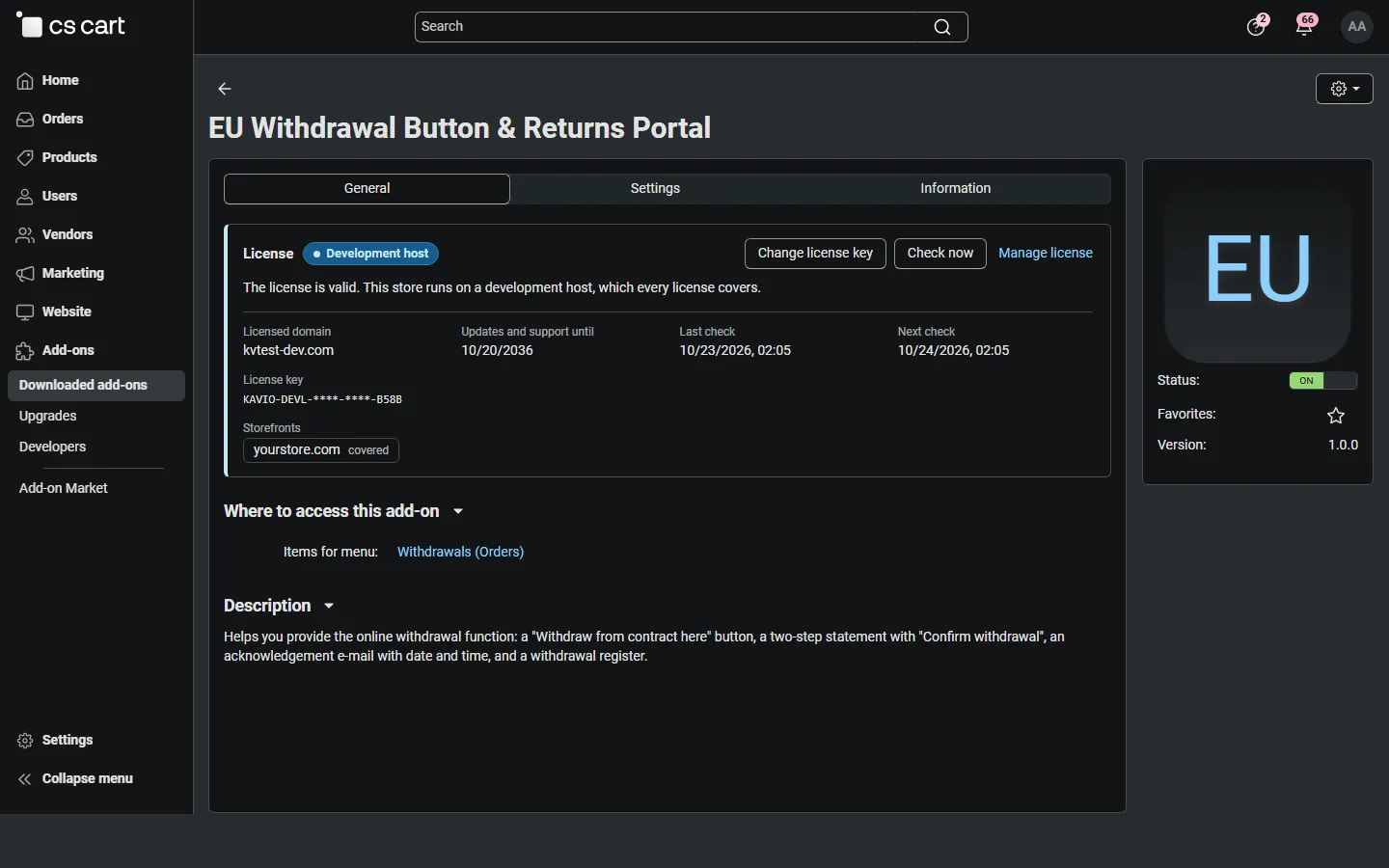
- Trial: without a key the add-on runs for 14 days.
- Without a valid license: the legal guarantee notice, GARAN badges, the manufacturer card and the “Product safety” tab are hidden on the storefront; your manufacturers, notice images and product data are kept and the admin pages keep working.
- Development and staging hosts (localhost, private IP addresses,
*.local,*.test) are always free; subdomains of the licensed domain are included.