

Order Notifications for Telegram & WhatsApp screenshots
Real screenshots from our CS-Cart and Multi-Vendor test stores with the add-on installed and the English interface.
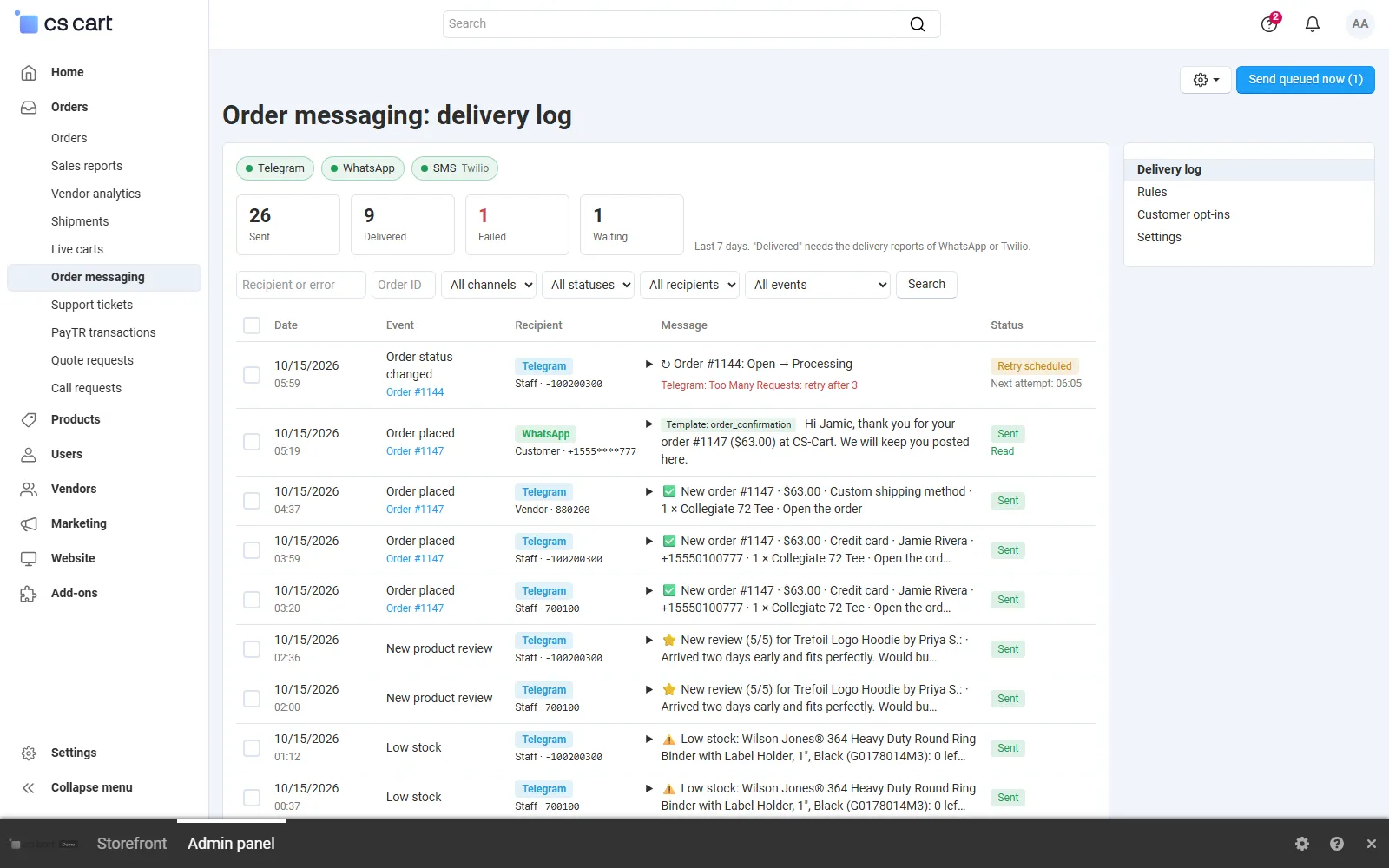
Orders > Order messaging: channel status, 7-day counters and the delivery log with Telegram, WhatsApp template and retry rows.
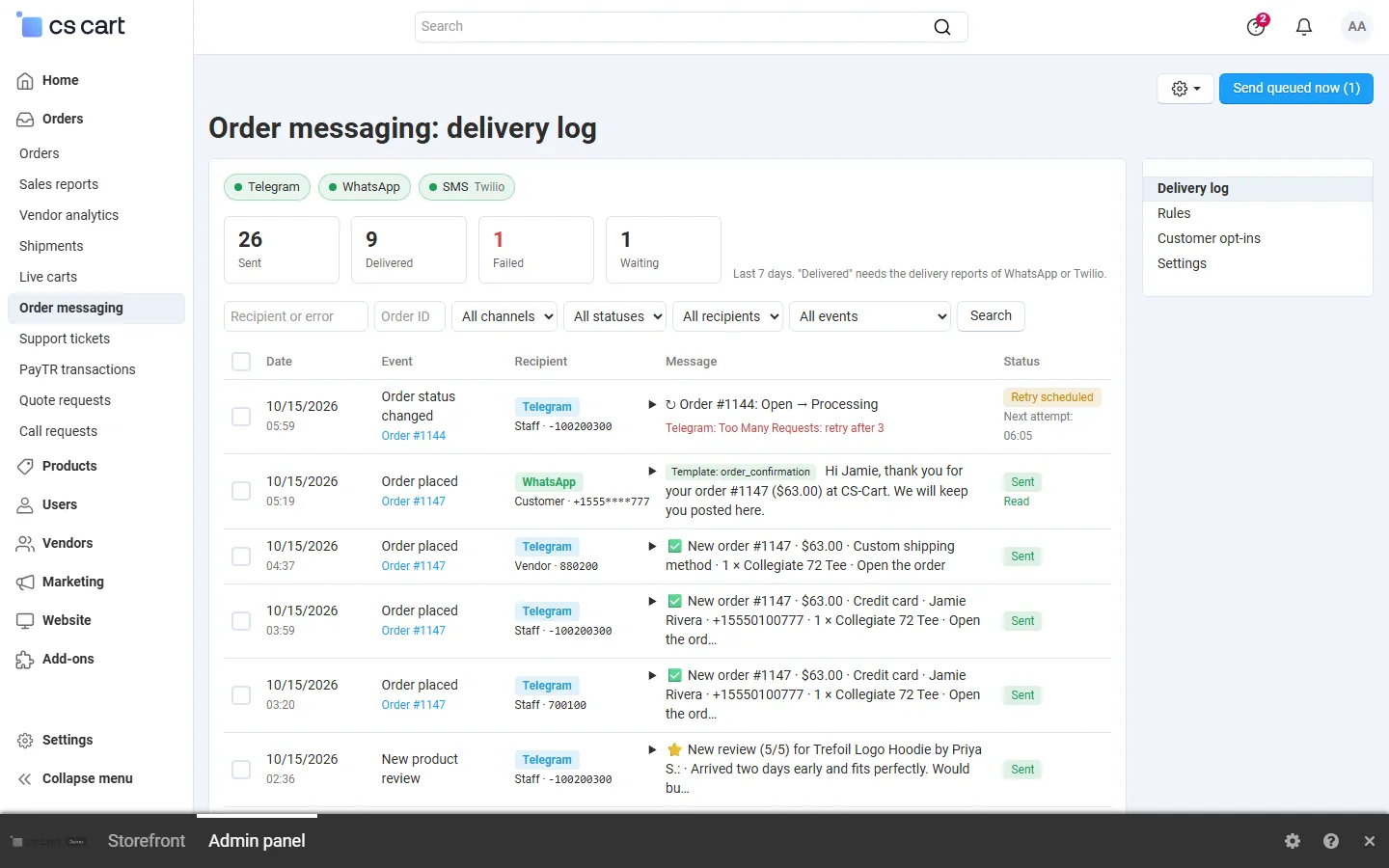
Delivery log: filters, recipient (staff, vendor, customer with masked phone), message, status with WhatsApp “Read”/“Delivered” reports, a retry and a failed message with the provider’s reason.
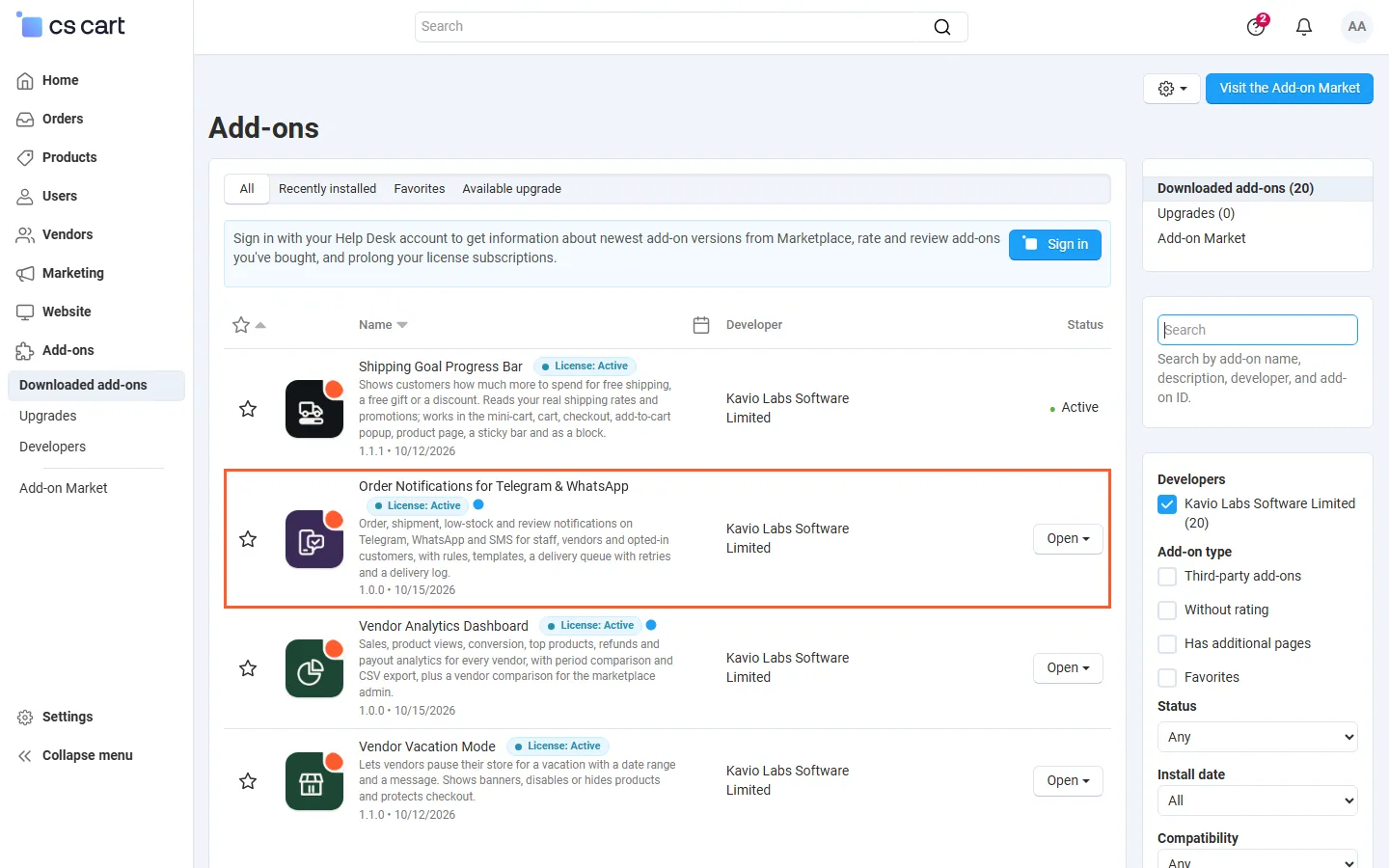
Admin, Downloaded add-ons filtered to Kavio Labs (Multi-Vendor 4.21.2), Telegram & WhatsApp Order Notifications highlighted. Re-shot by the integration step with the add-on icon.
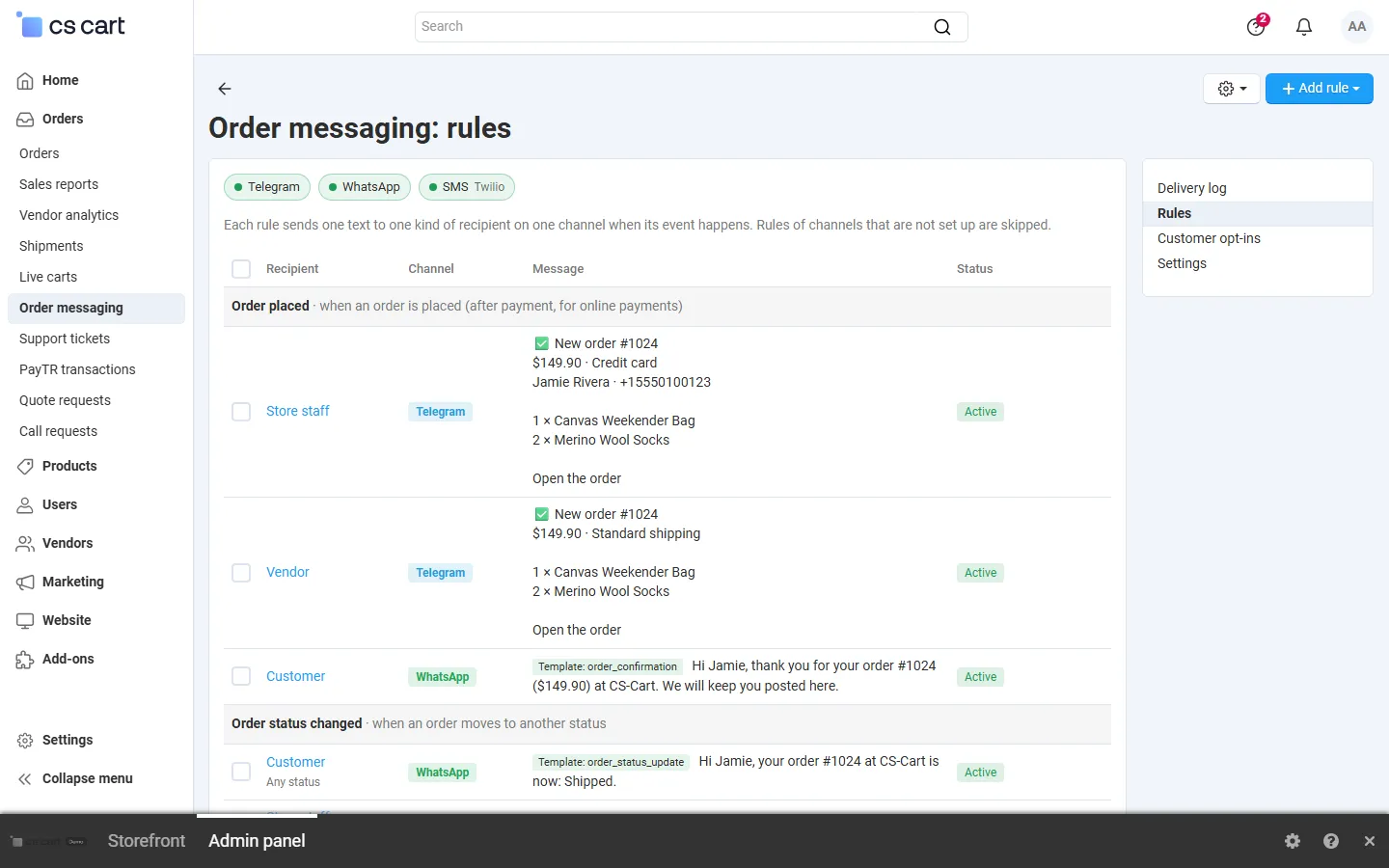
Rules: order placed, status changed, shipment created, low stock and new review, each with recipient, channel and text preview.
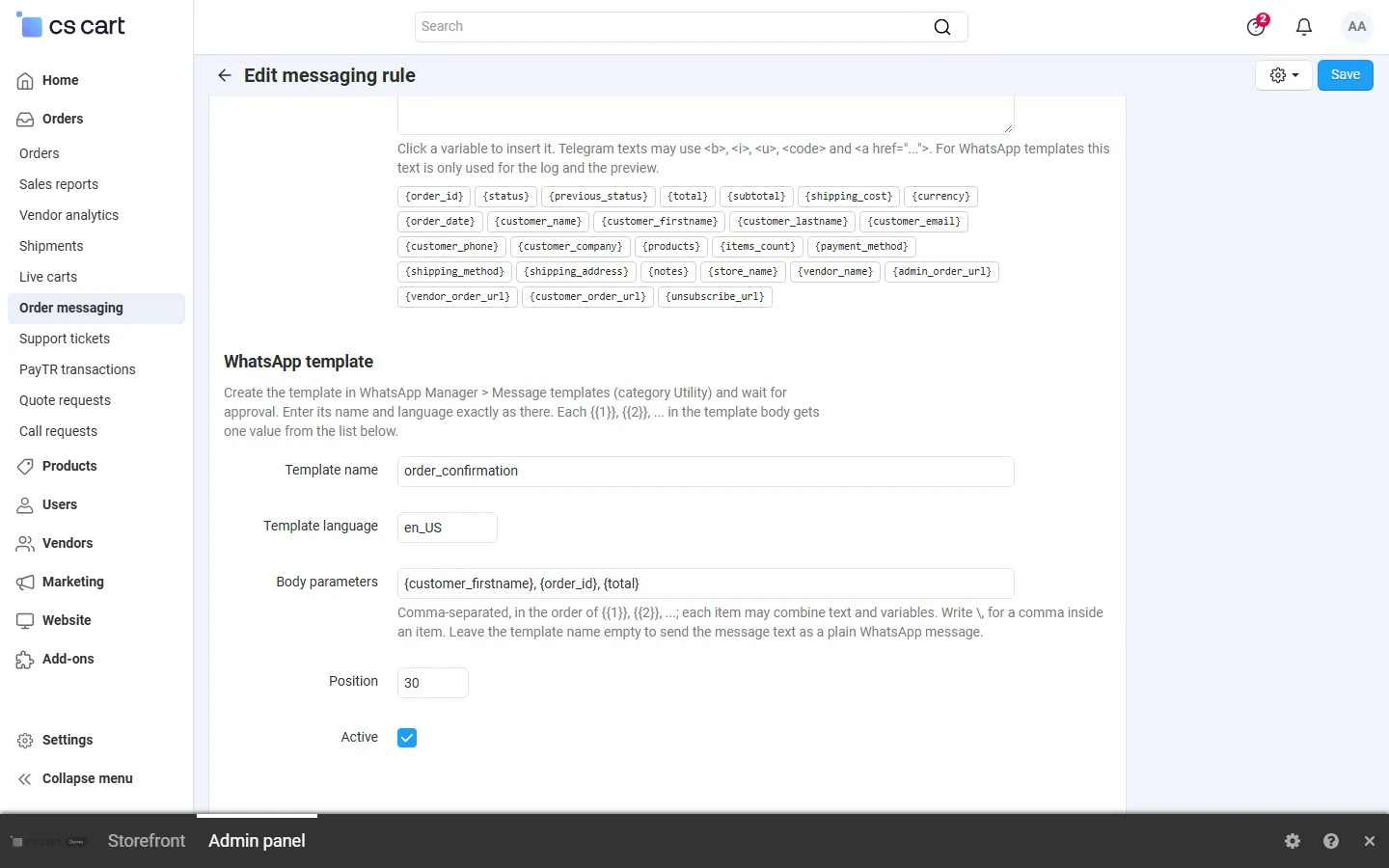
Rule editor, customer on WhatsApp: approved template name, language and body parameters with the preview.
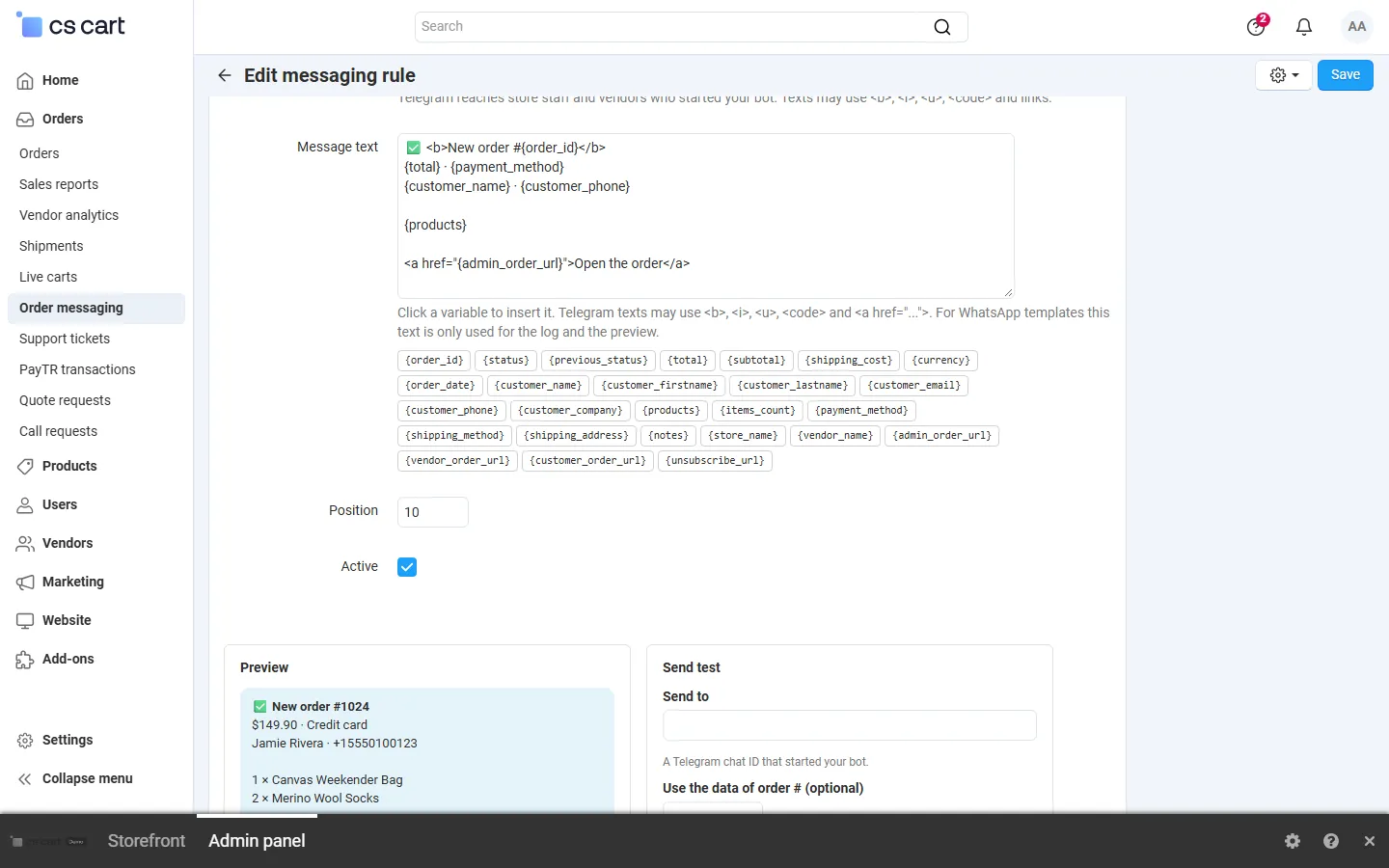
Rule editor, staff on Telegram: formatted text, clickable variables, preview and “Send test”.
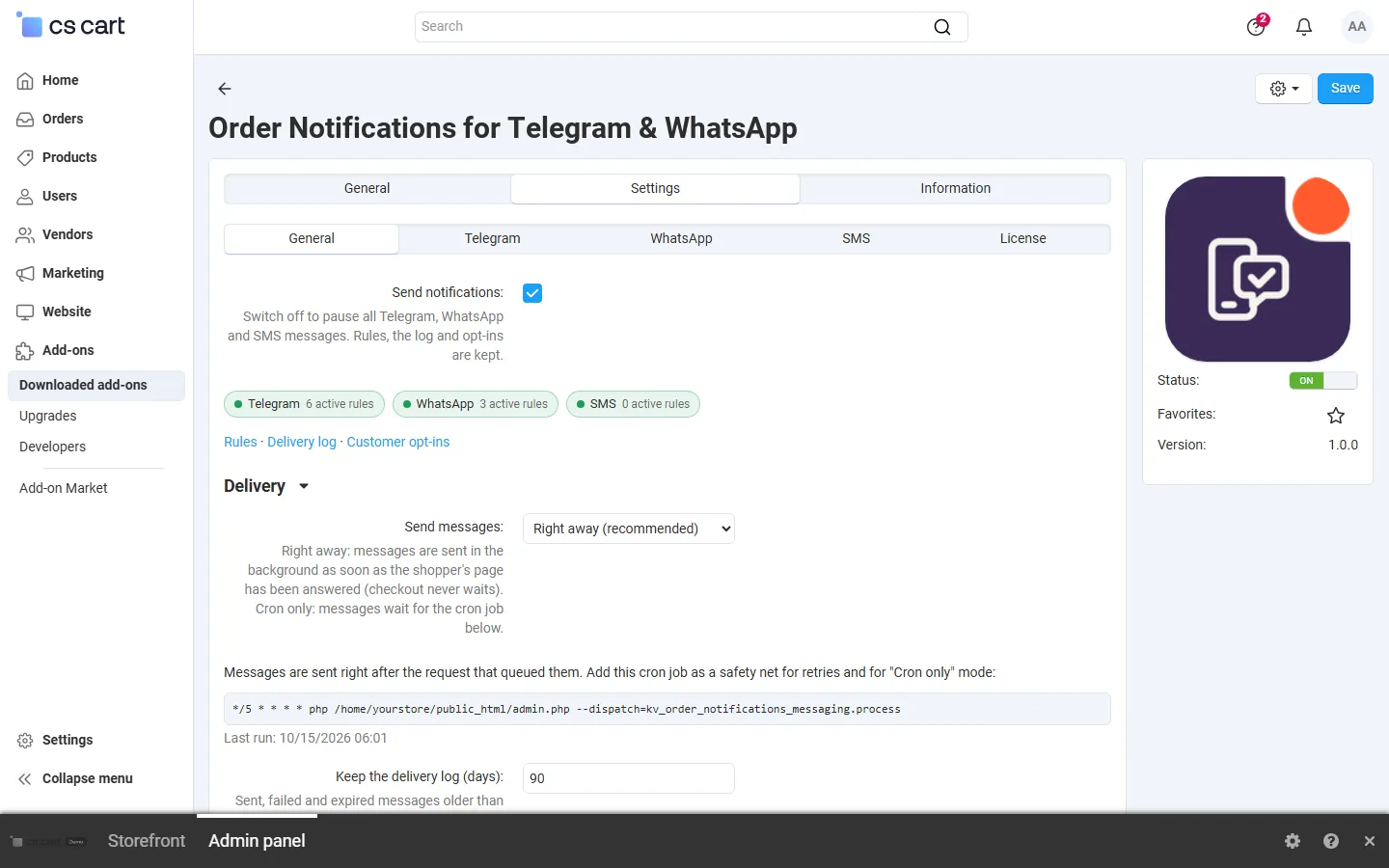
Settings, General: send switch, channel status, delivery right after the request, cron safety net and log retention.
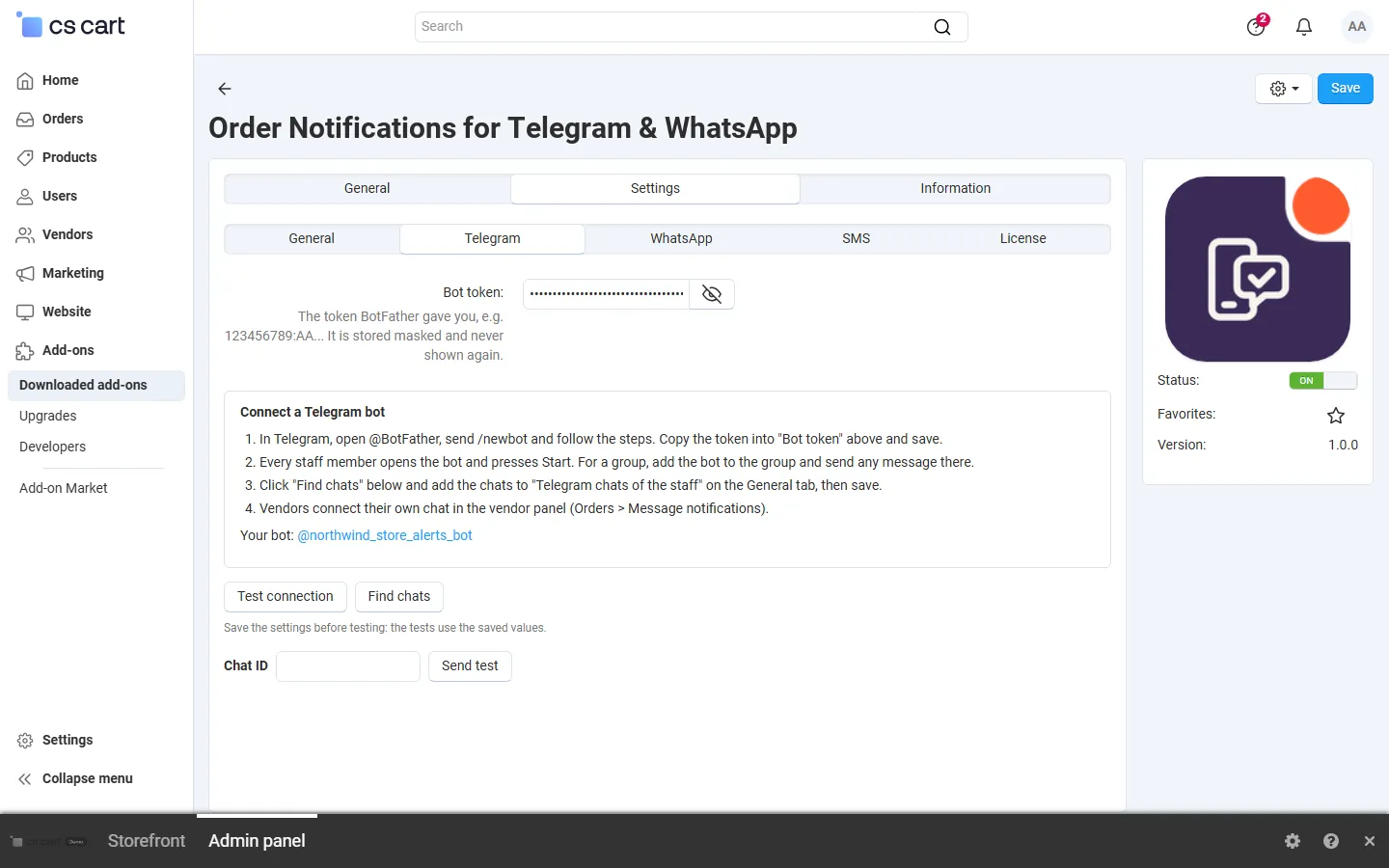
Settings, Telegram: masked bot token, setup steps, connection test, chat finder and test message.
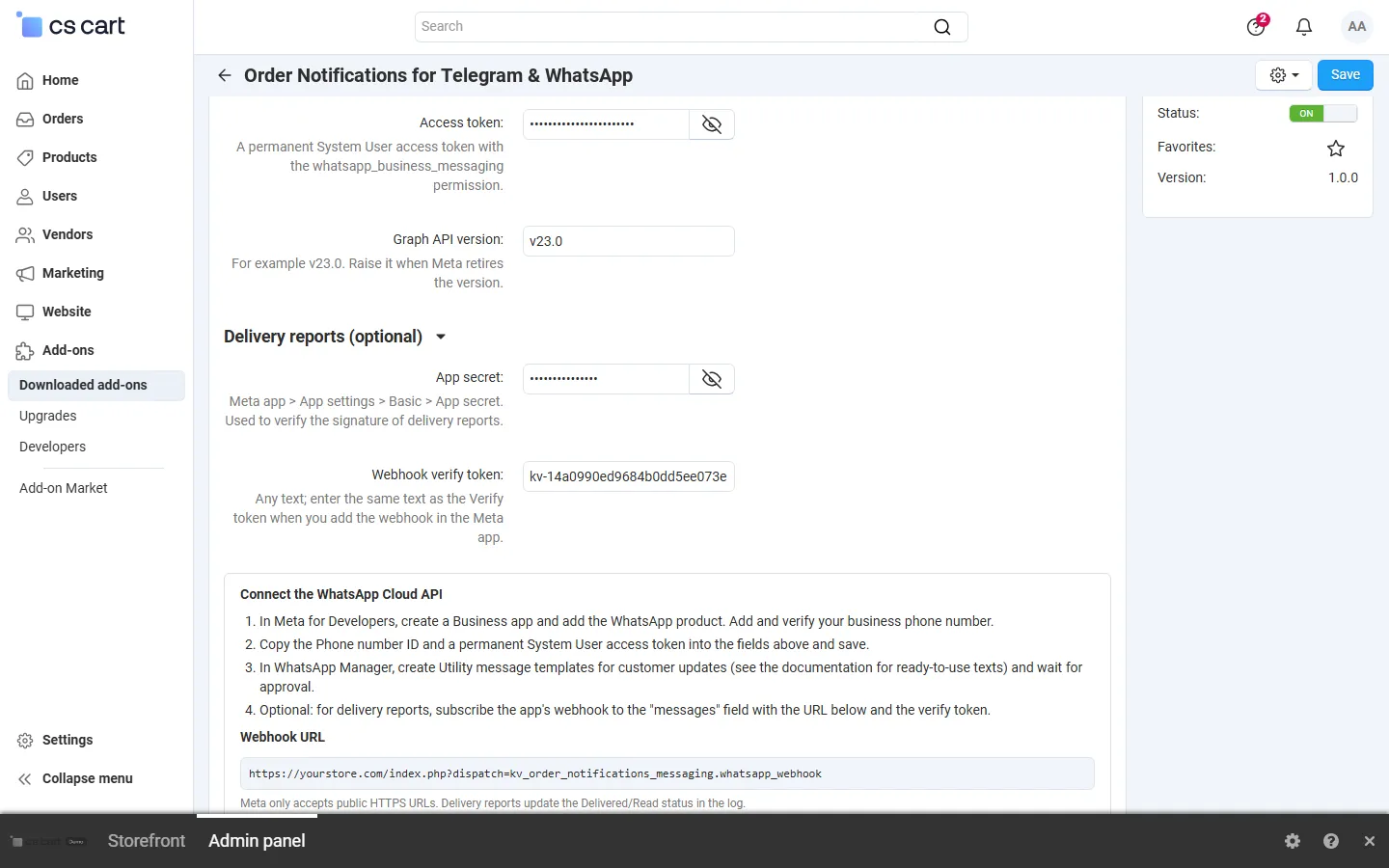
Settings, WhatsApp Cloud API: masked token, delivery reports (app secret, verify token) and the webhook URL.
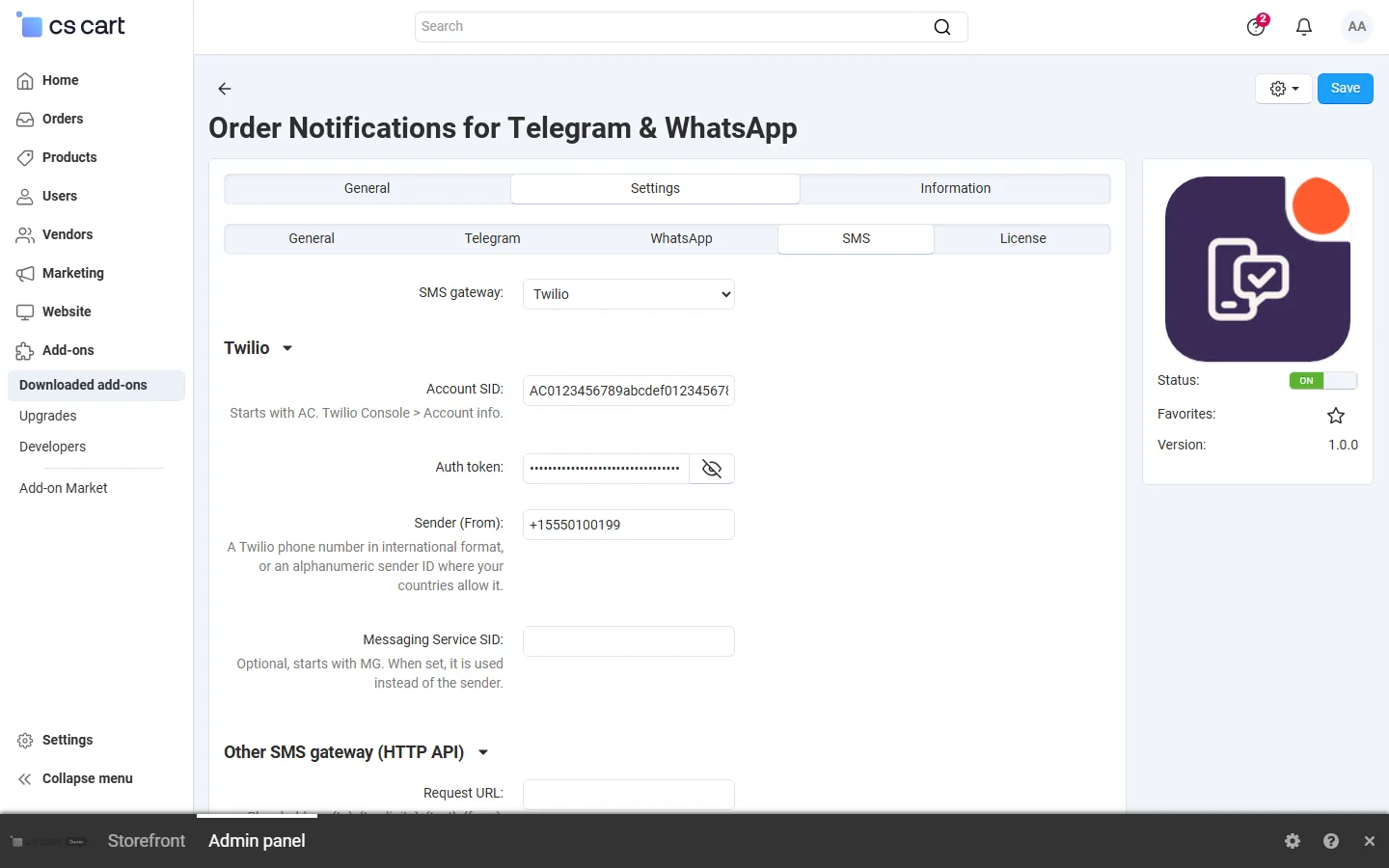
Settings, SMS: Twilio or any HTTP SMS gateway with placeholders, success text and a test send.
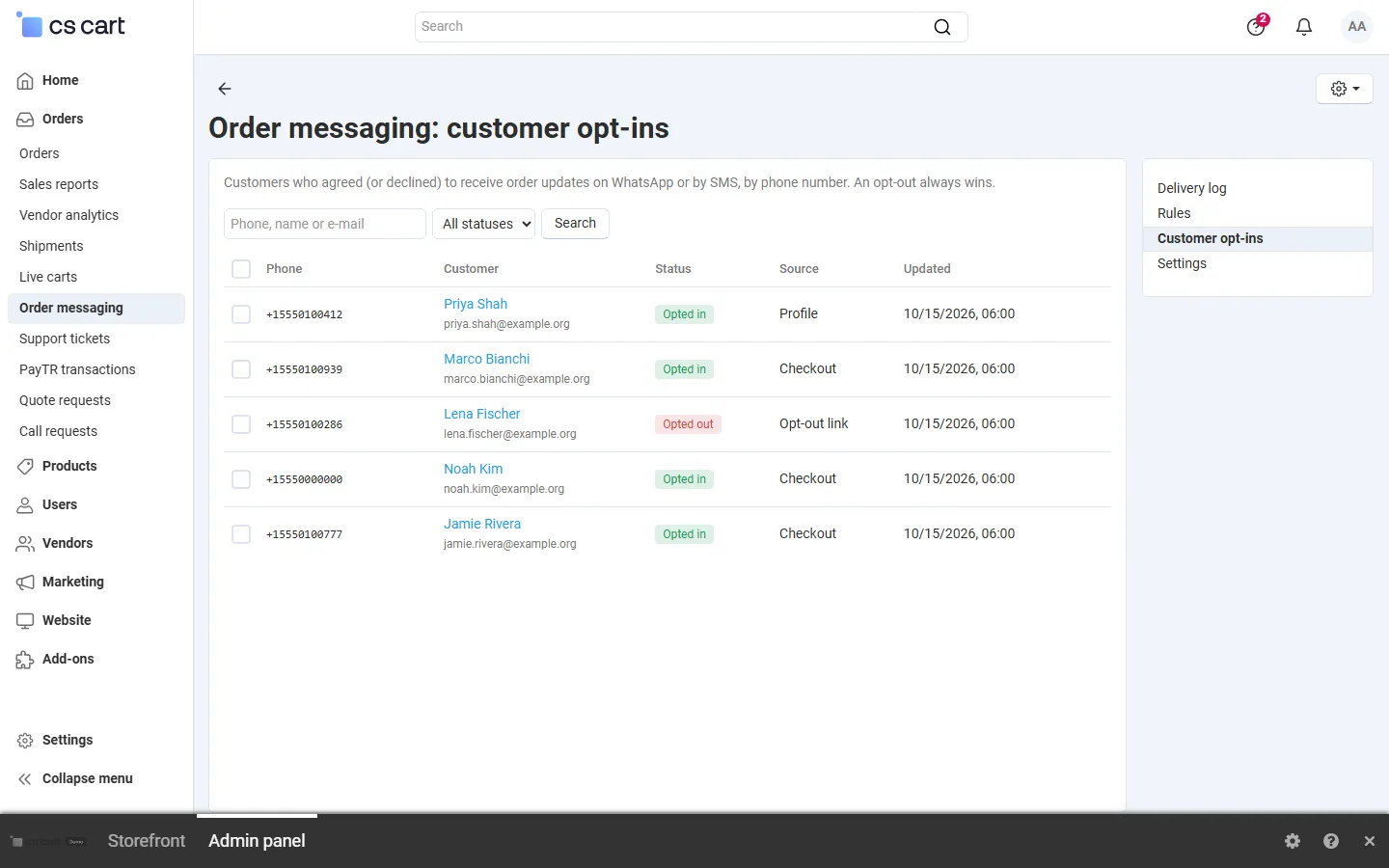
Customer opt-ins by phone number with source (checkout, profile, opt-out link) and status.
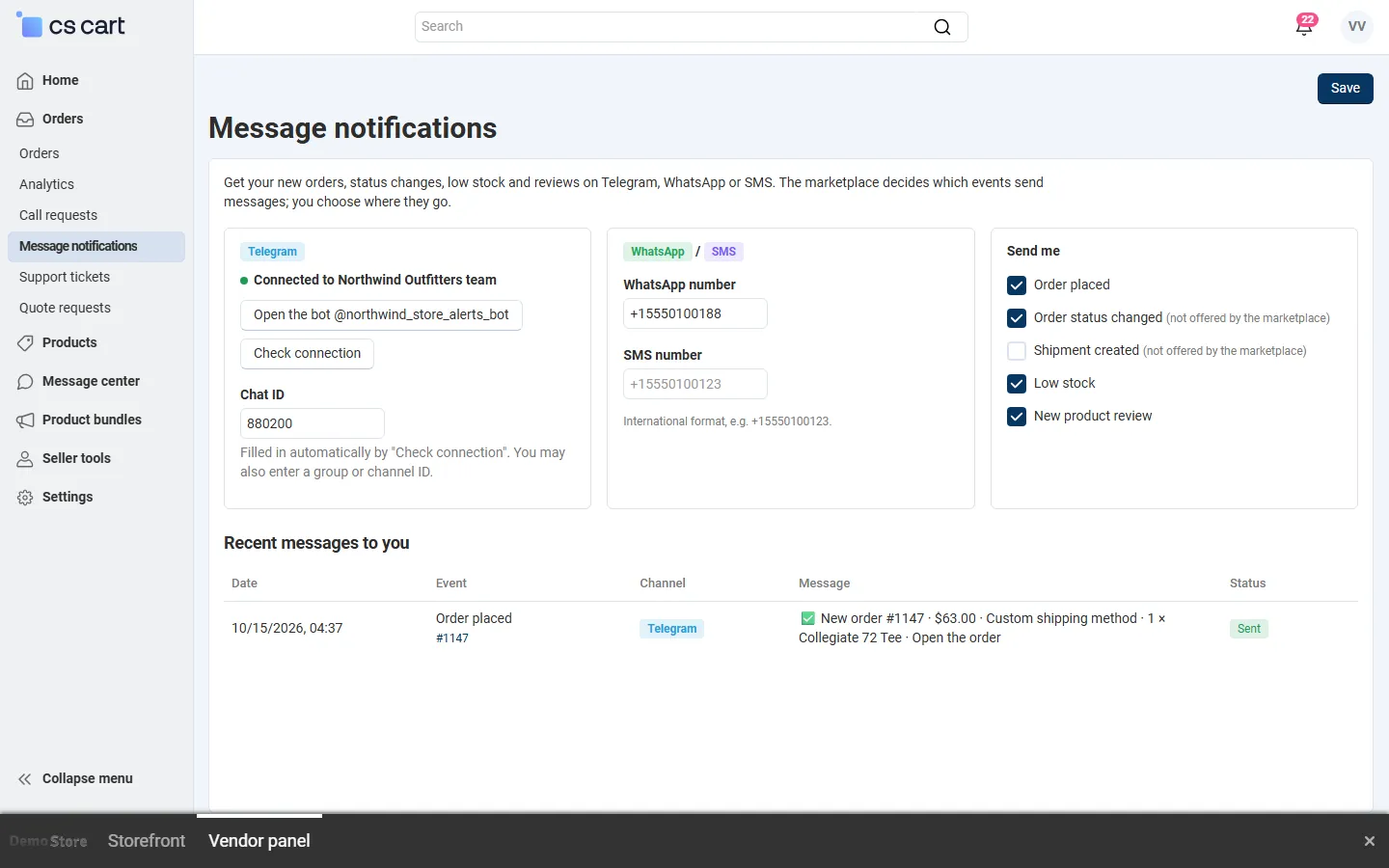
Vendor panel, Orders > Message notifications: Telegram connected through the bot link, WhatsApp number, event choice and recent messages.
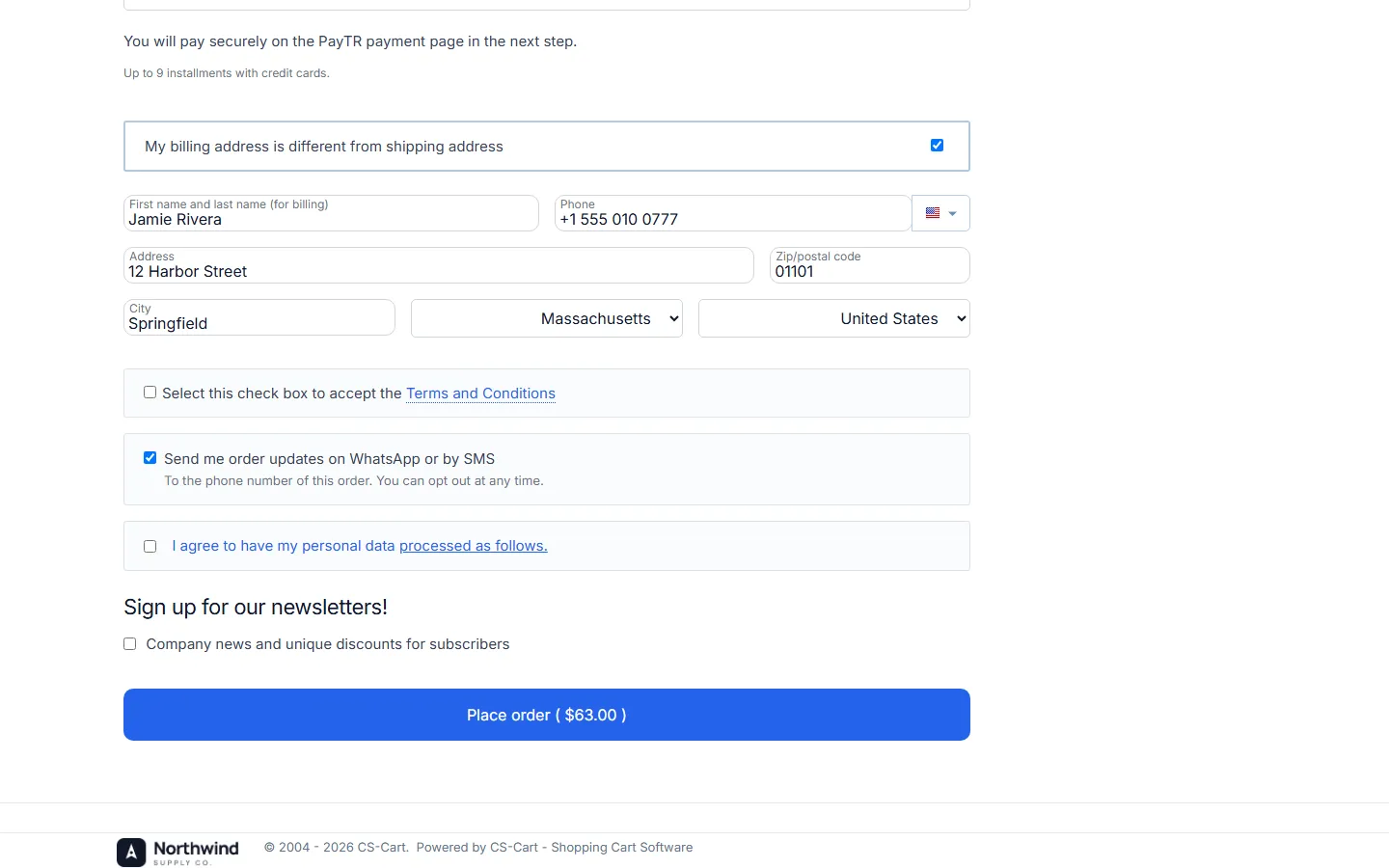
Storefront checkout: “Send me order updates on WhatsApp or by SMS” next to the terms.
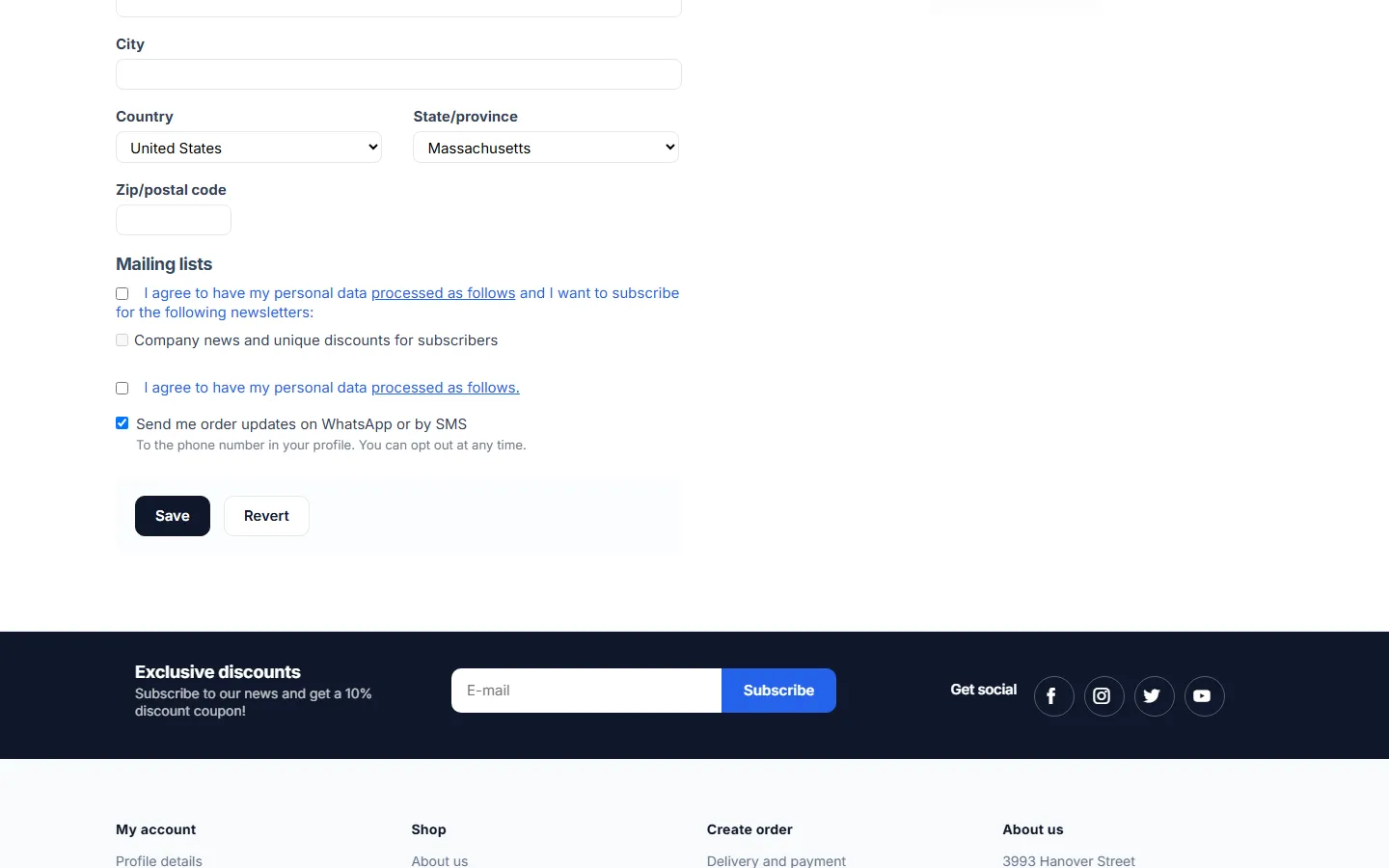
Storefront profile: the same choice in My account.
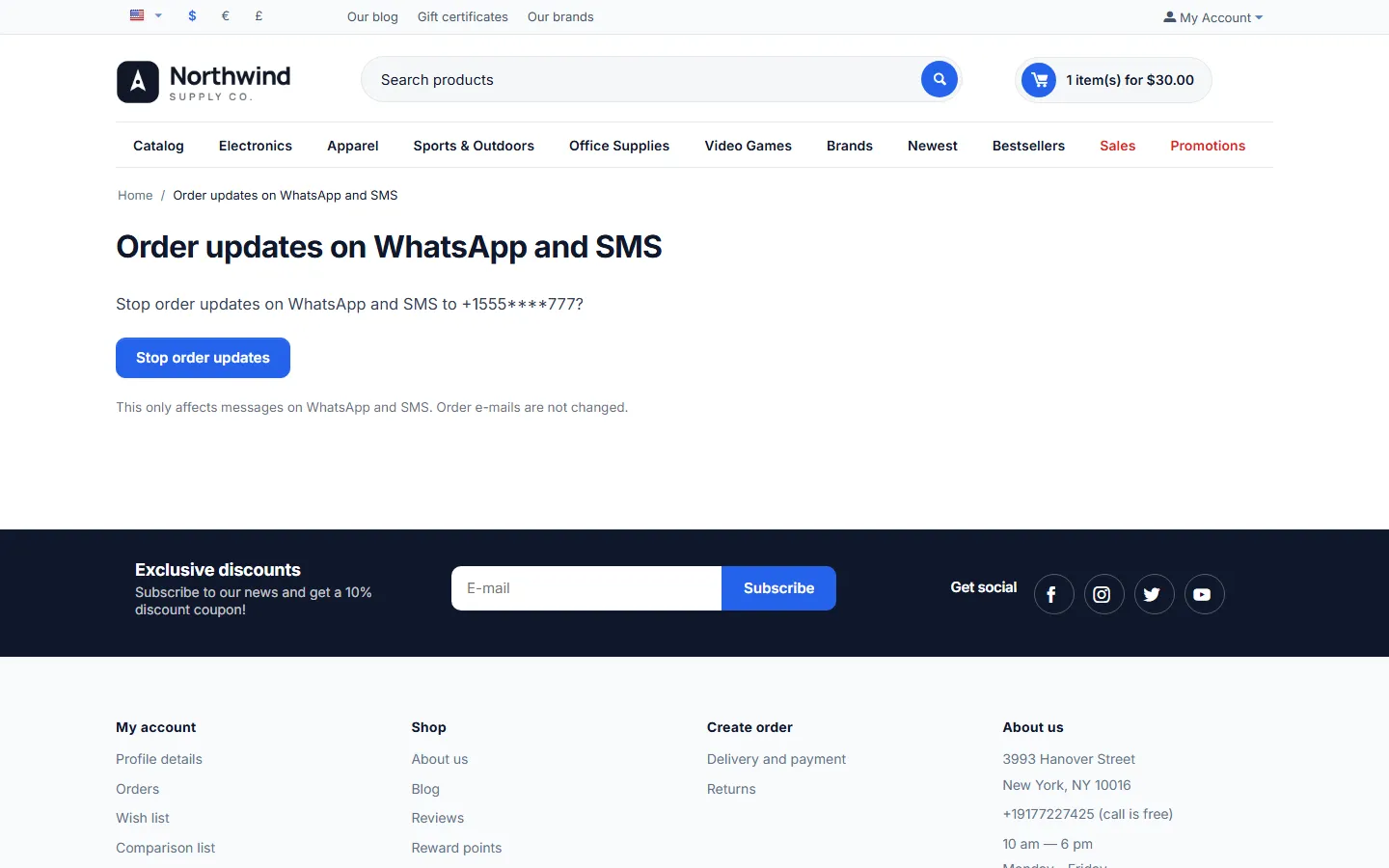
Opt-out page opened from the link in an SMS (masked number, one click).
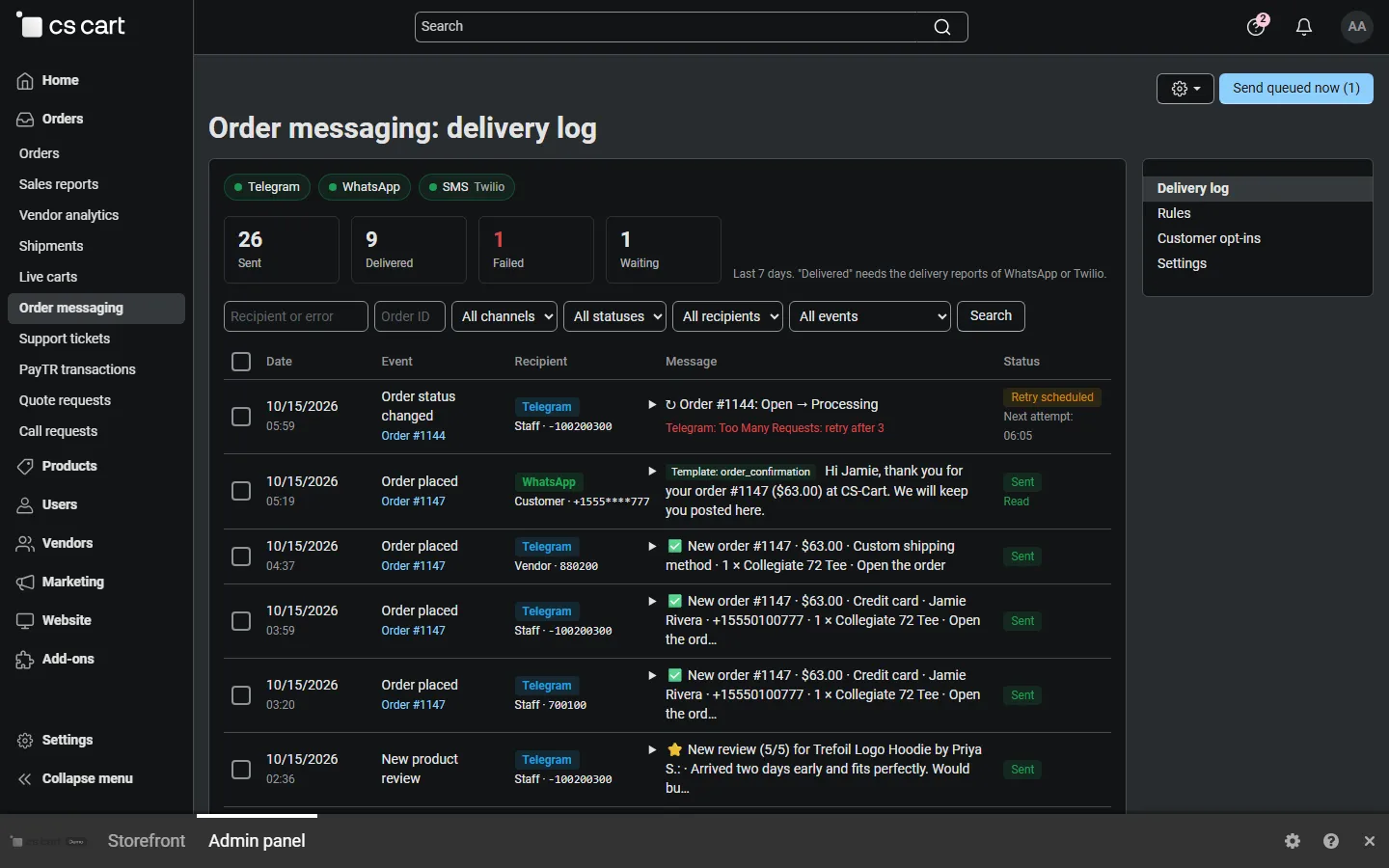
Delivery log in the 4.21 dark back-office scheme.
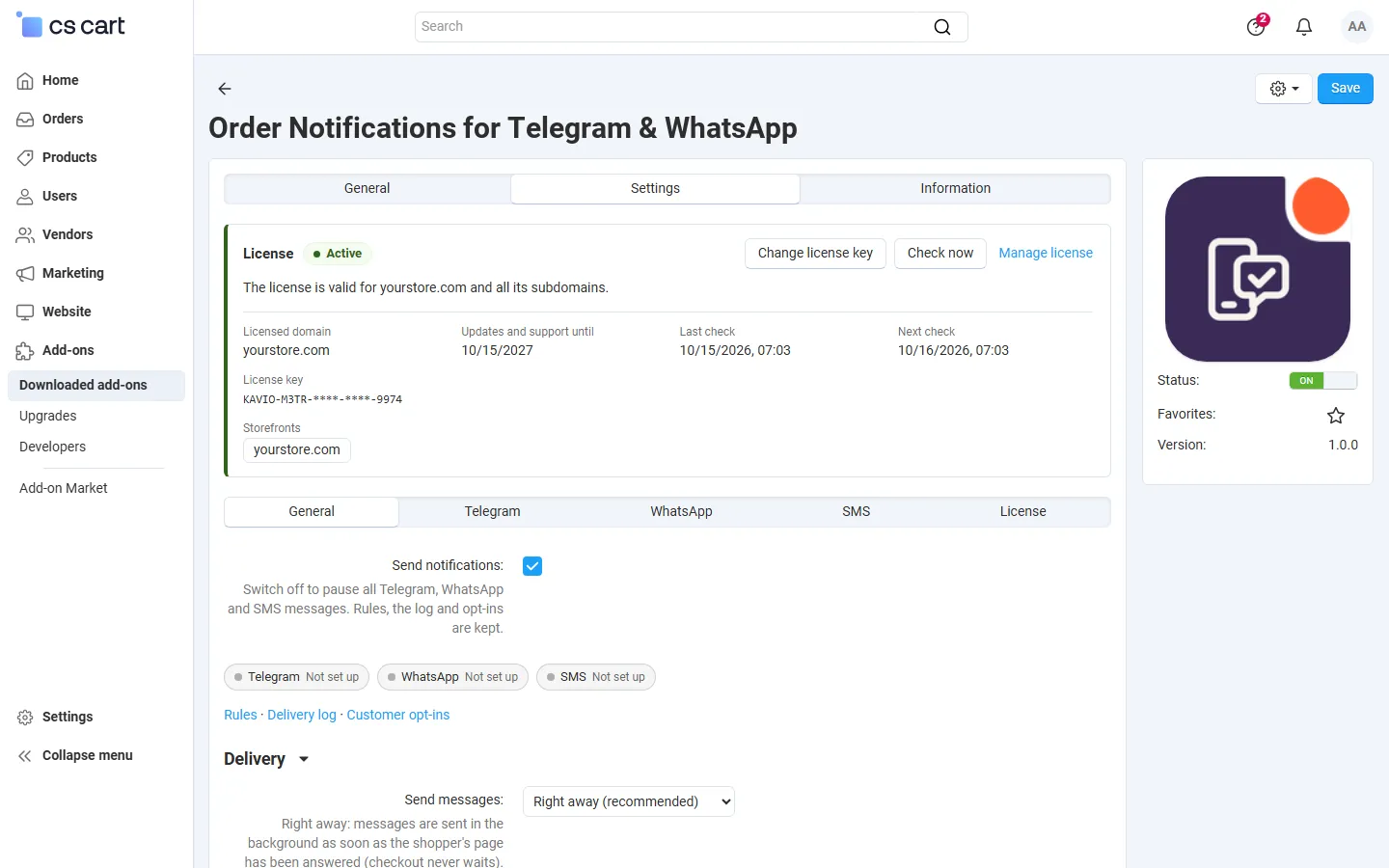
Settings, General tab with the license card (Active, licensed domain, key, storefronts) and the add-on icon. Integration step; the license card shows the production state (dev host replaced by yourstore.com).