

PayTR Payments (iFrame, Installments, Link) screenshots
Real screenshots from our CS-Cart and Multi-Vendor test stores with the add-on installed and the English interface.
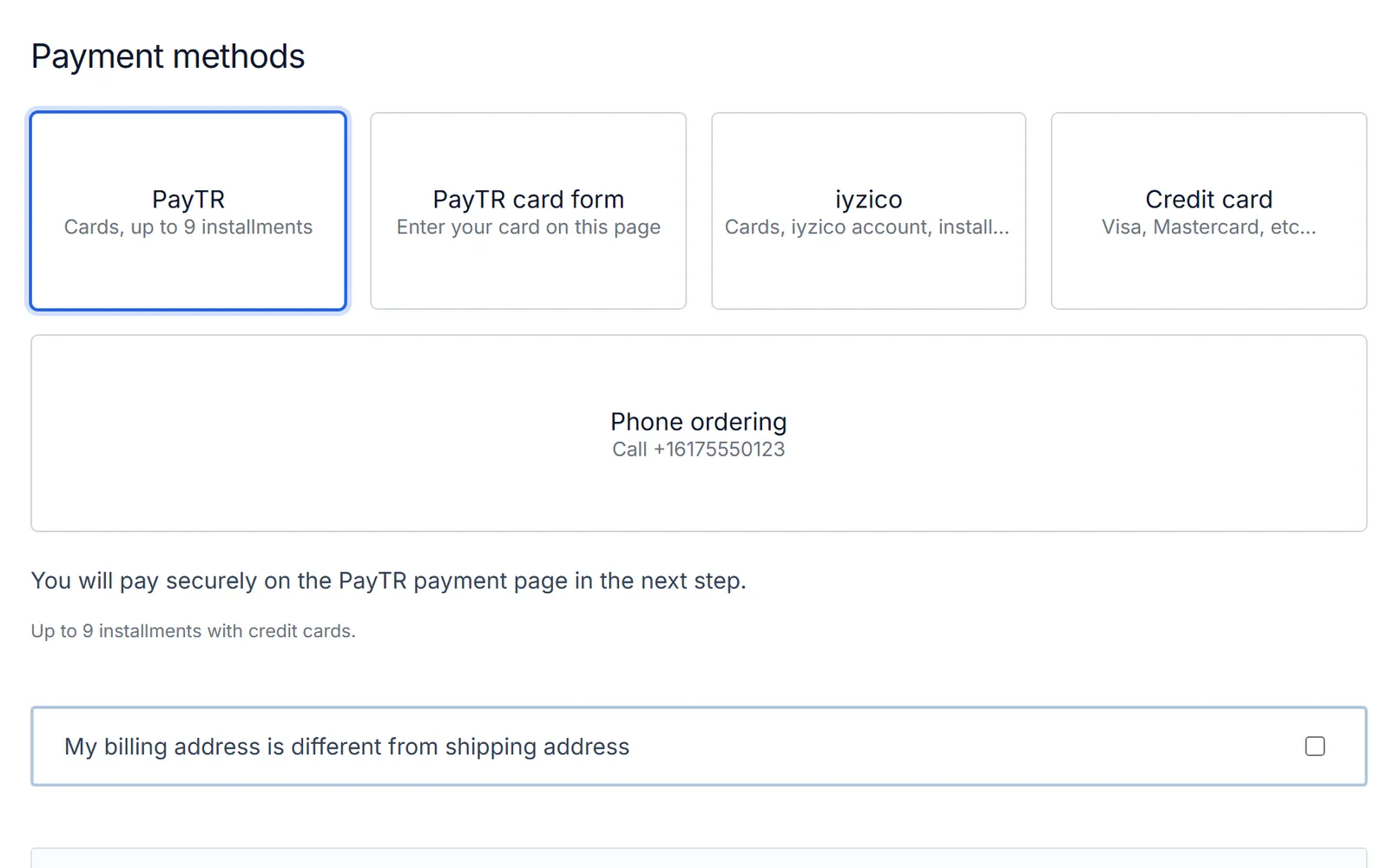
Checkout: “PayTR” selected, “You will pay securely on the PayTR payment page” and “Up to 9 installments with credit cards”.
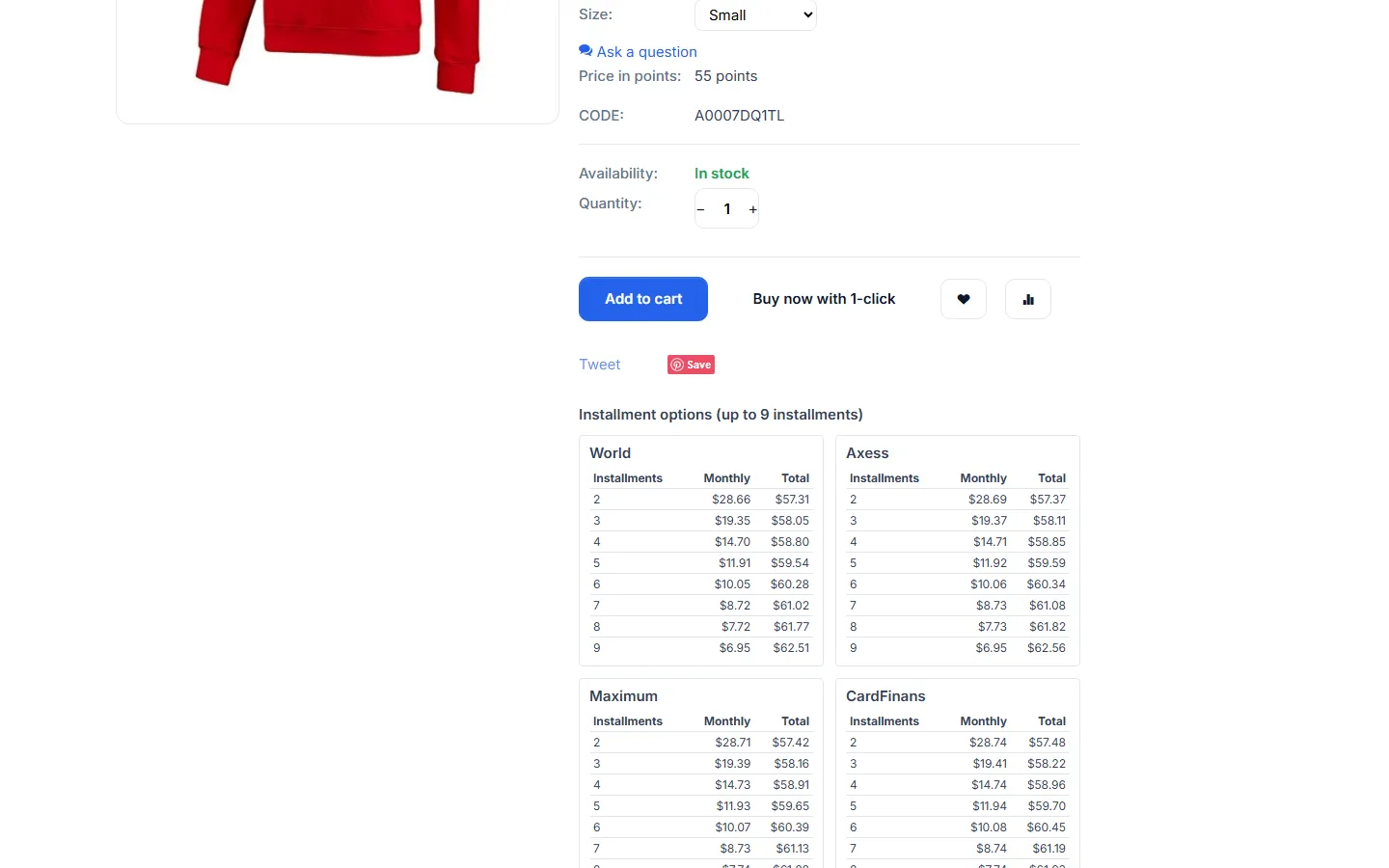
Product page with the expanded “Installment options (up to 9 installments)” table under Add to cart.
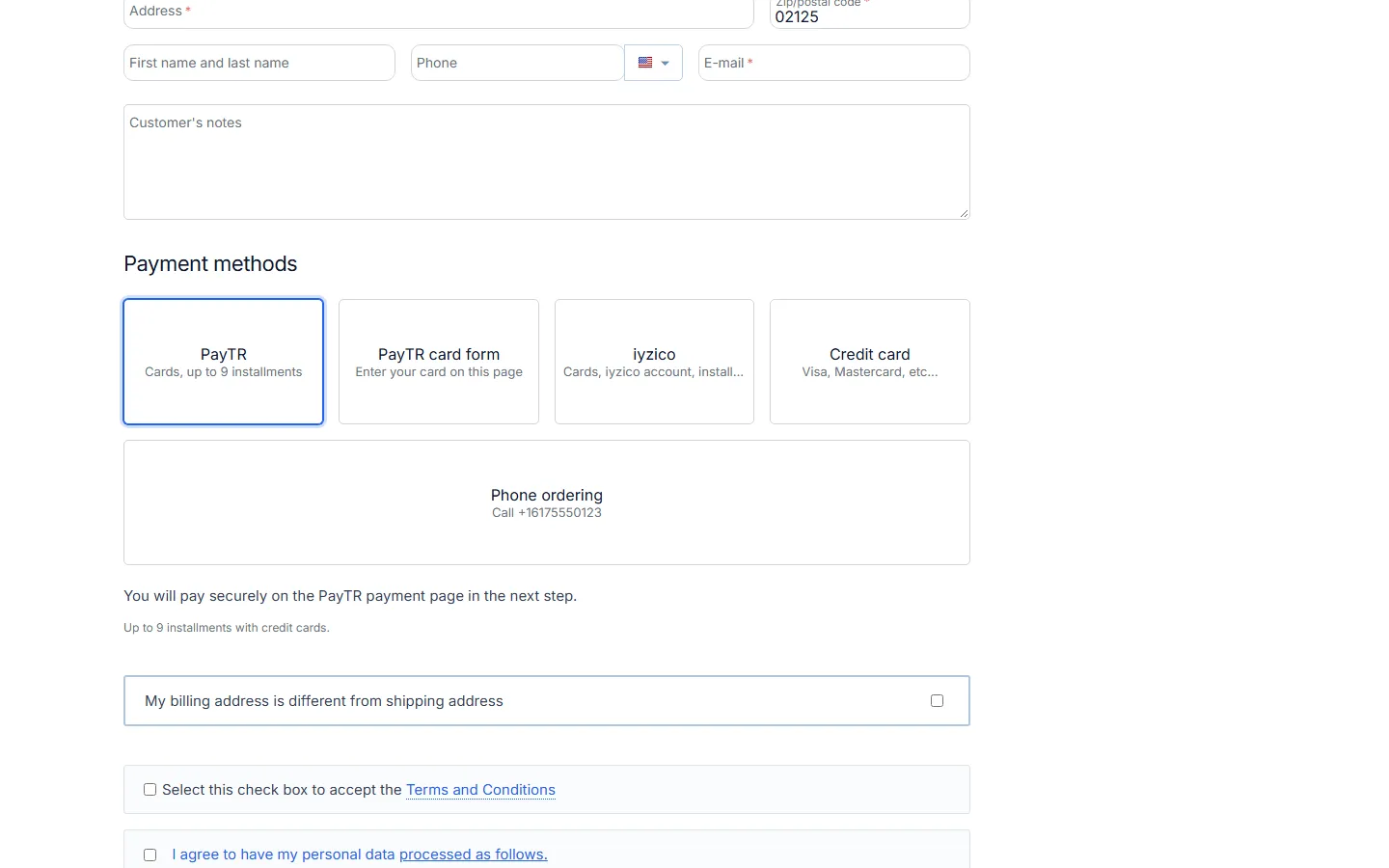
Checkout page with PayTR selected and the installment hint under the methods.
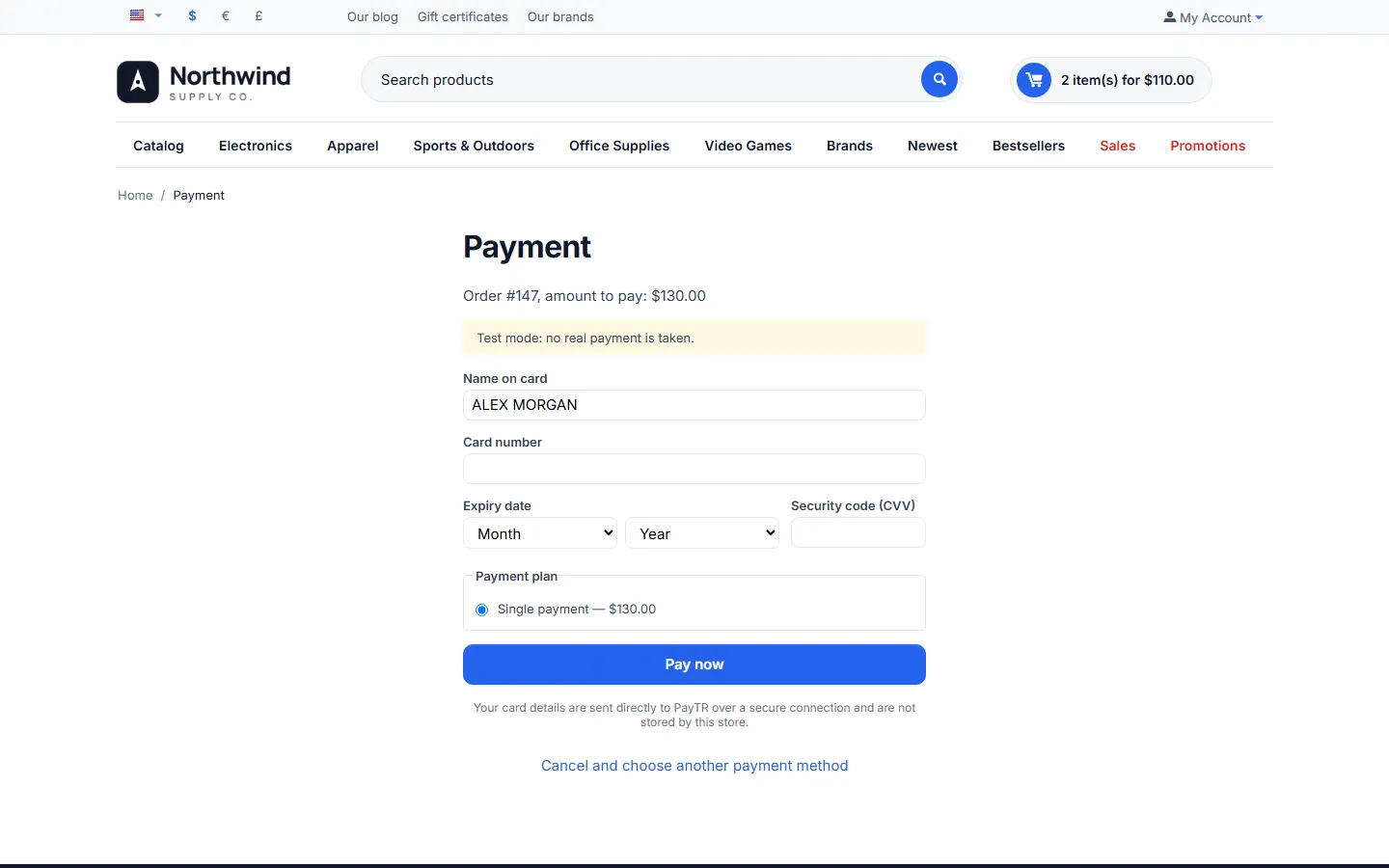
Direct API card form on the store: name on card, card number, expiry, CVV, payment plan, “Pay now” and the test-mode notice.
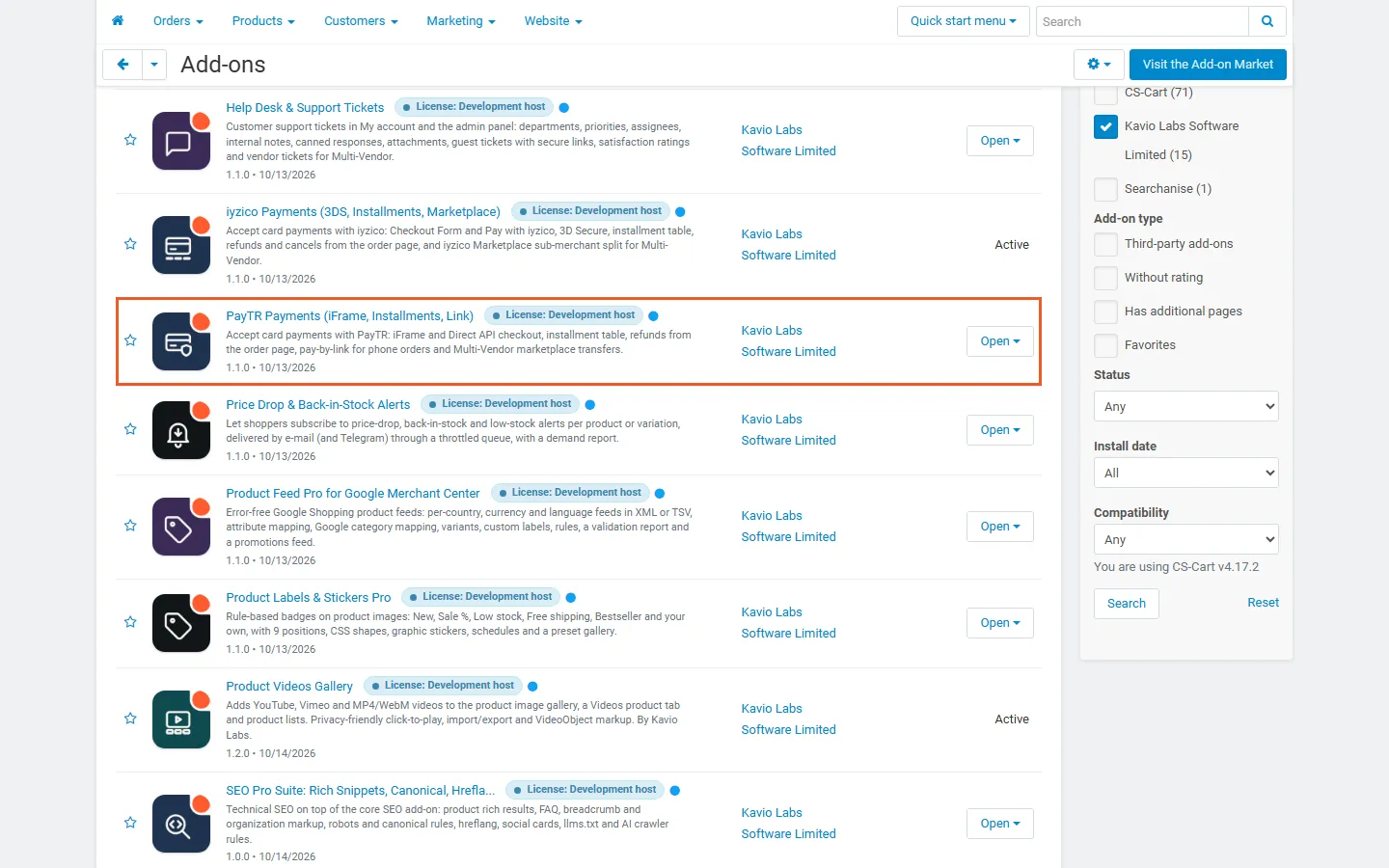
Admin, Downloaded add-ons filtered to Kavio Labs, with PayTR Payments highlighted.
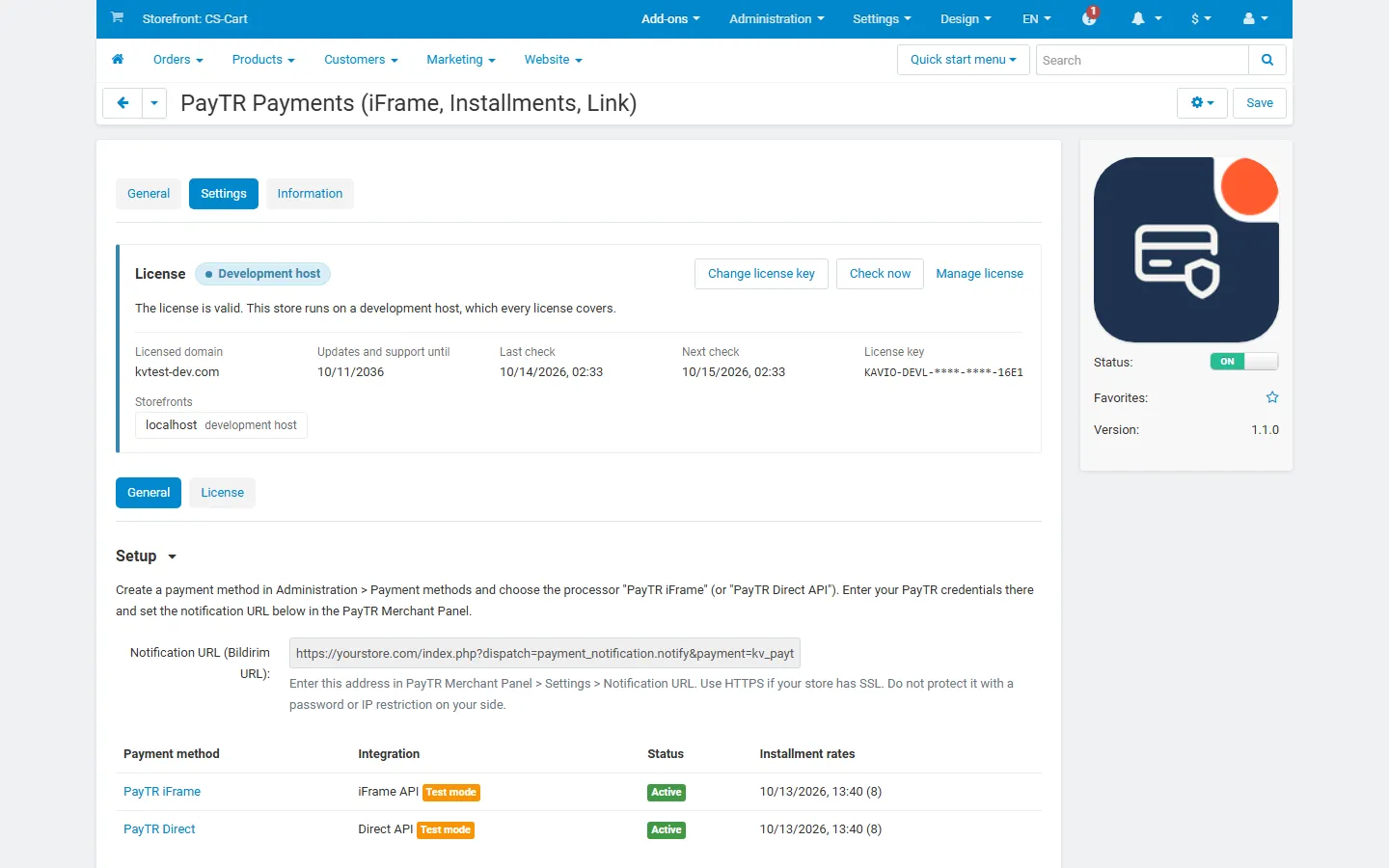
Add-on settings: setup steps, notification URL, PayTR methods with status and installment-rate fetch time, “Refresh installment rates”, installment table options.
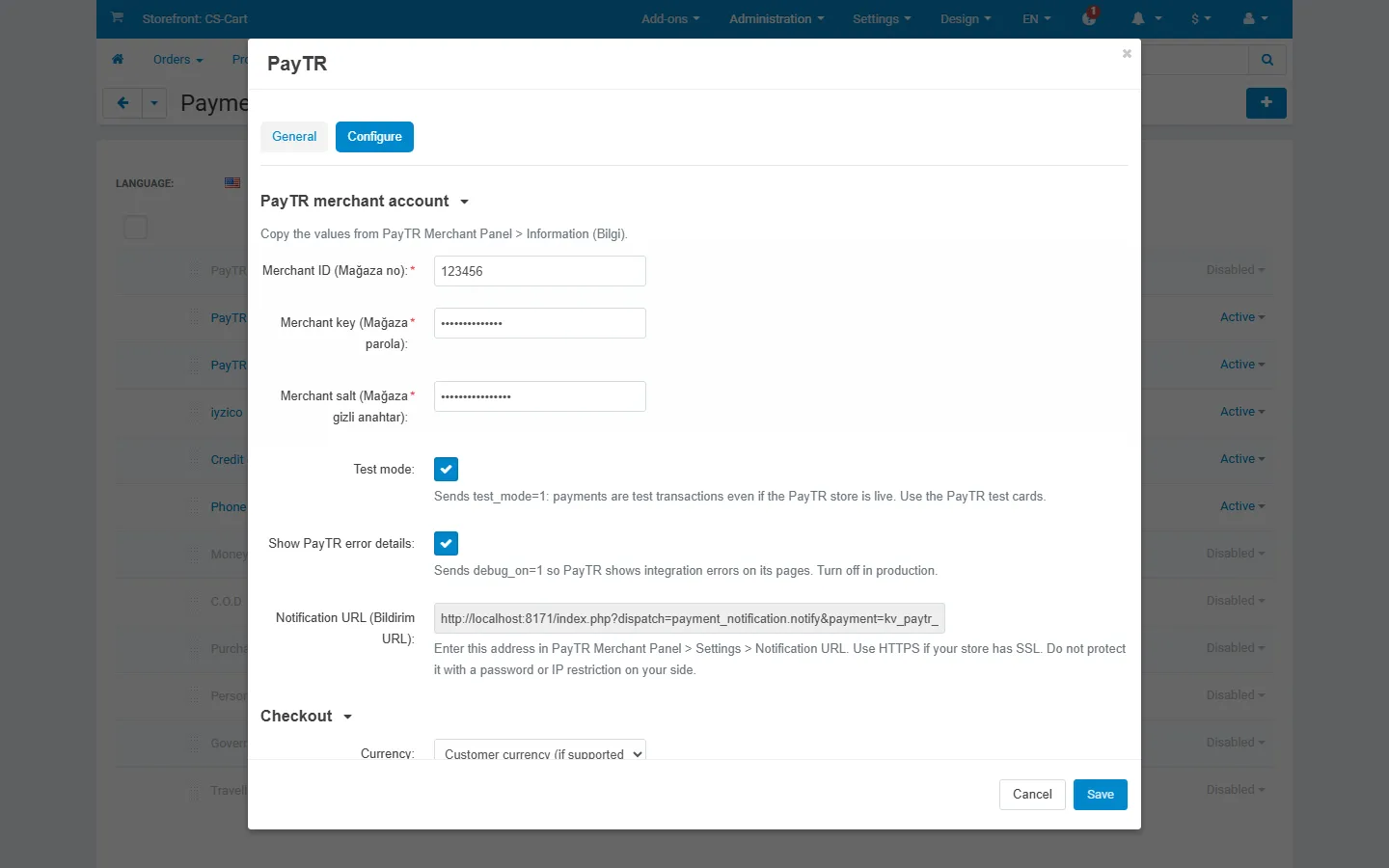
Payment method, Configure tab: merchant ID/key/salt, test mode, error details, notification URL and checkout options.
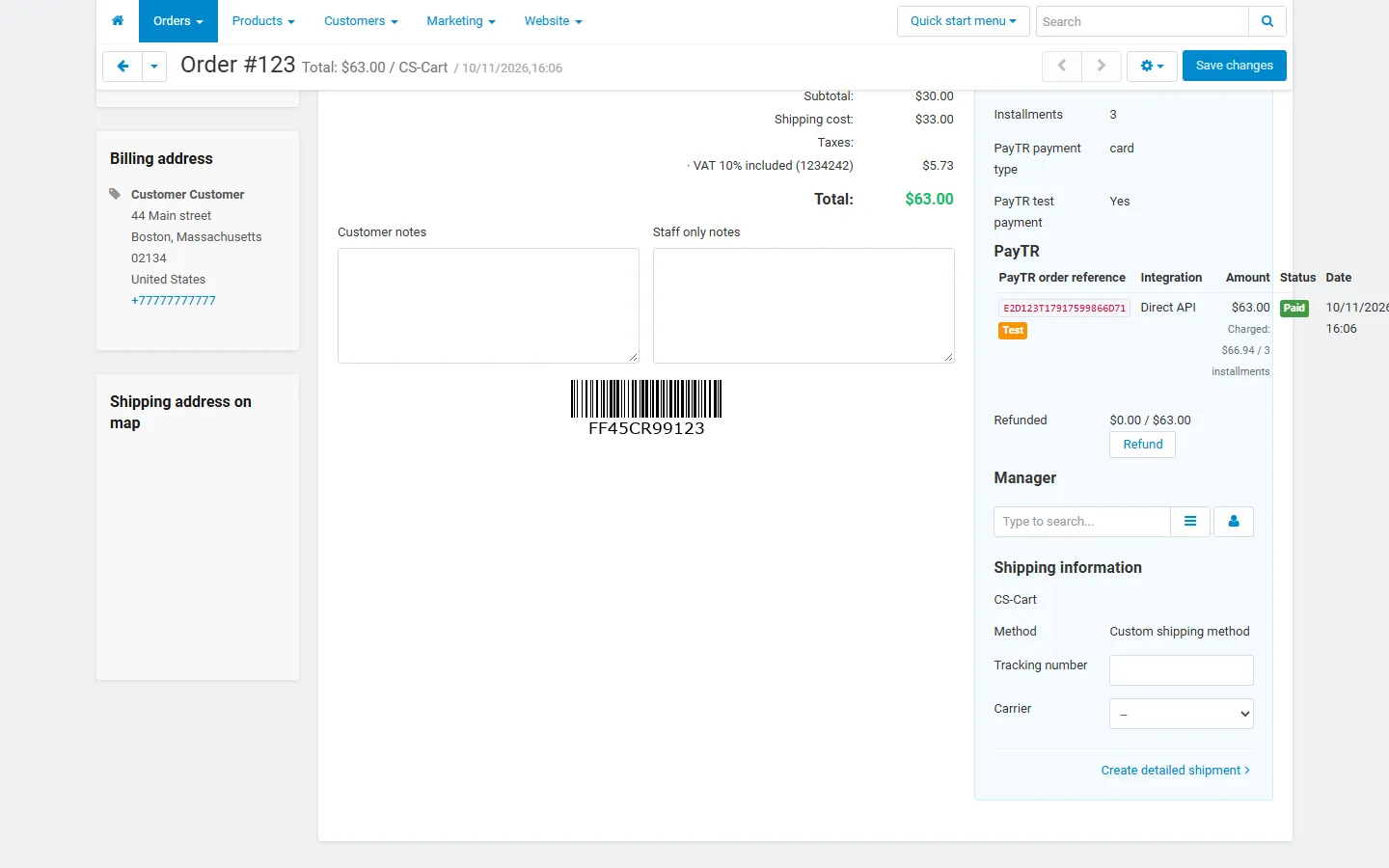
Admin order: PayTR block with the order reference, Direct API, amount charged with 3 installments, Paid/Test labels, refunded total and the Refund button.
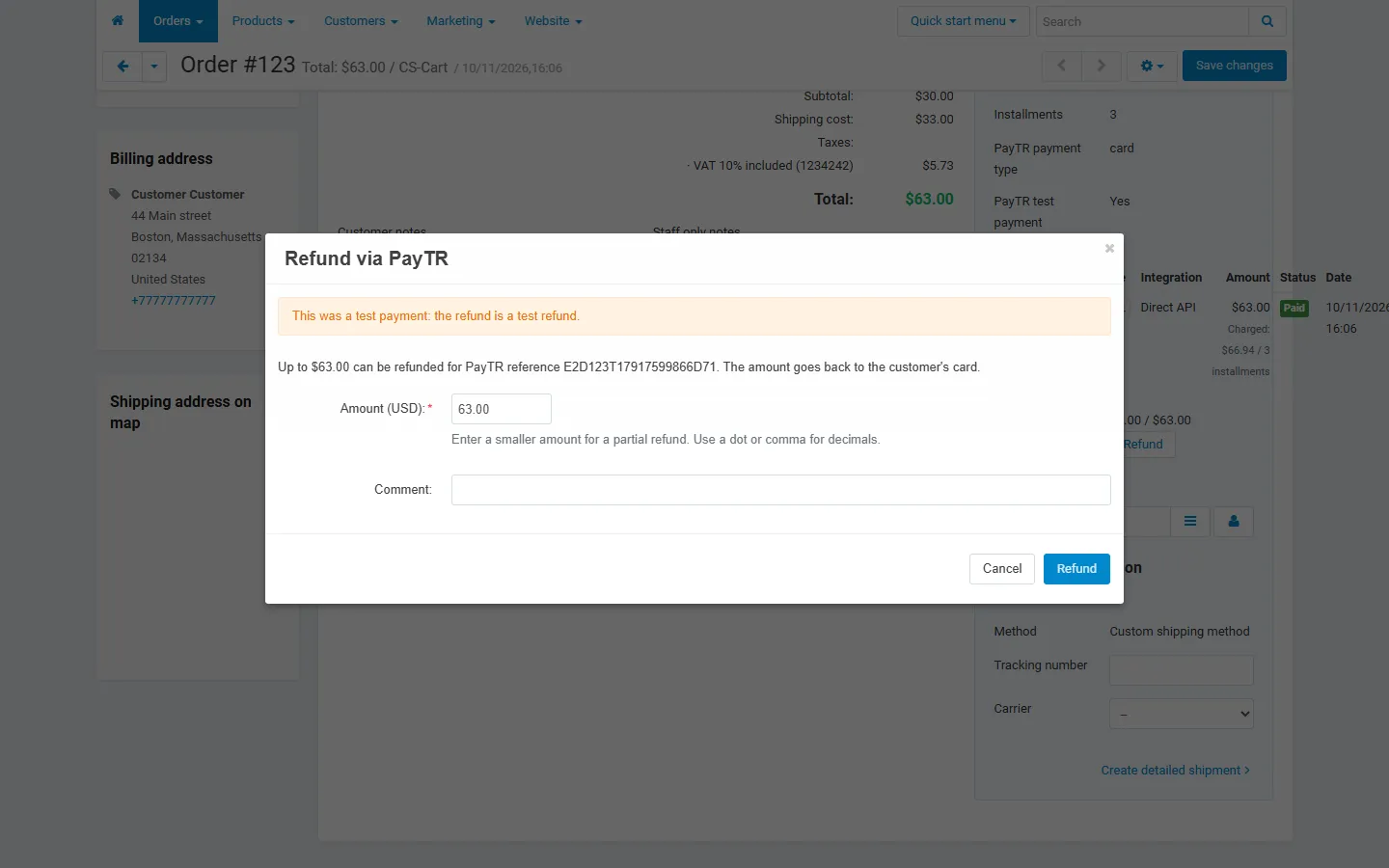
“Refund via PayTR” dialog: refundable amount, partial refund amount and comment, with the test-payment notice.
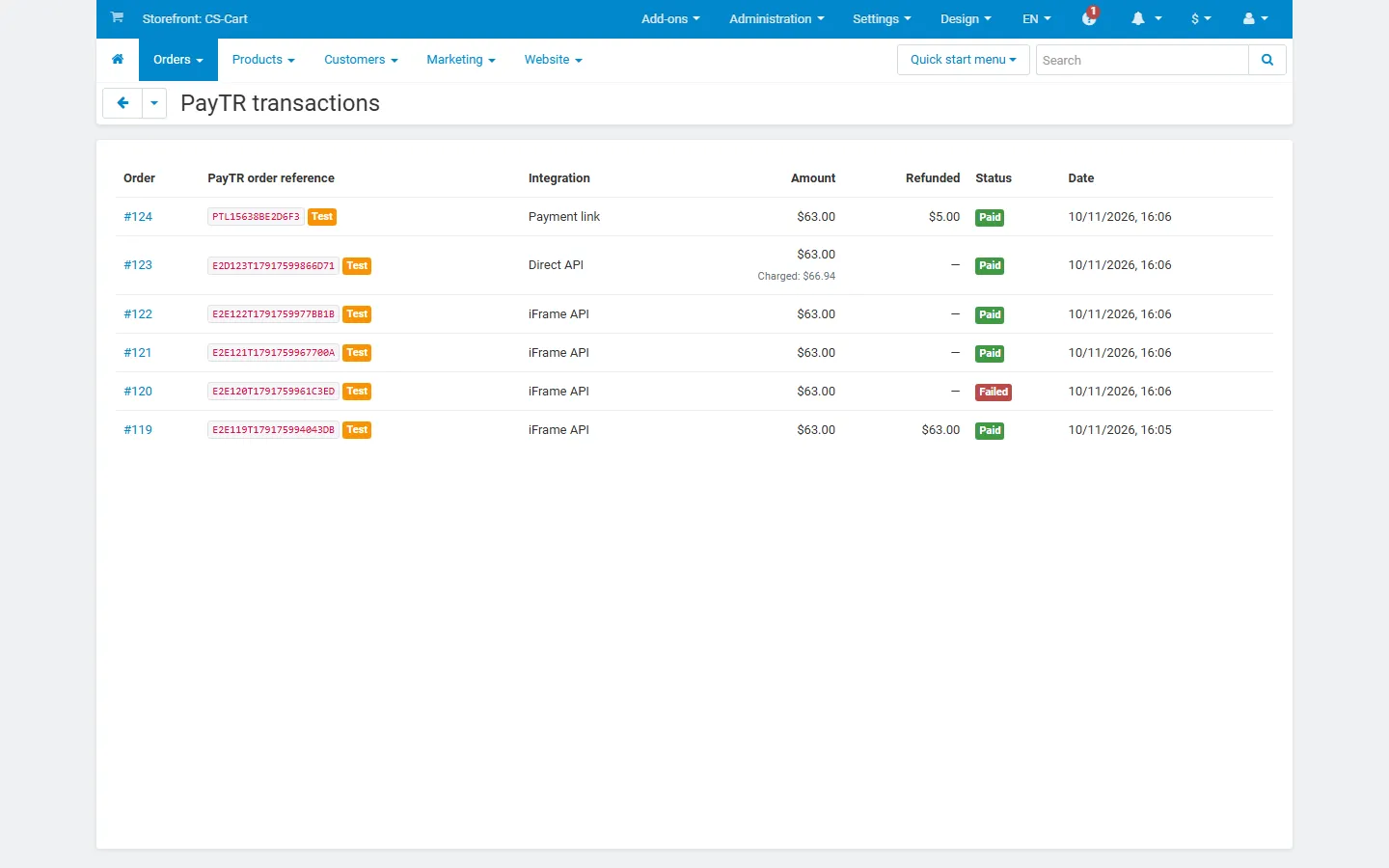
Orders > PayTR transactions: order, PayTR reference, integration (iFrame, Direct API, payment link), amount, refunded and status.
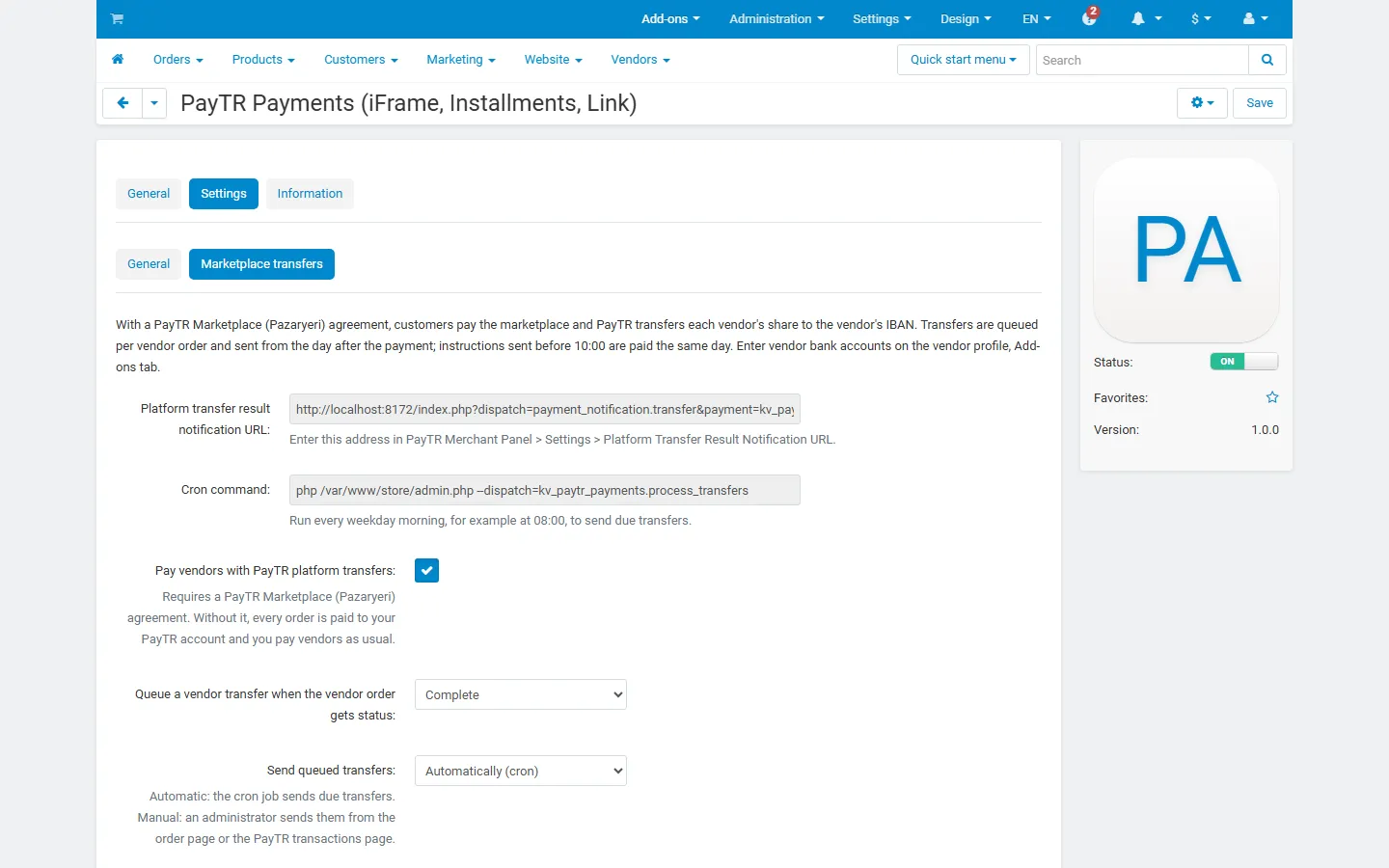
Multi-Vendor: Marketplace transfers tab: transfer notification URL, cron command, vendor transfers, transfer status and mode.
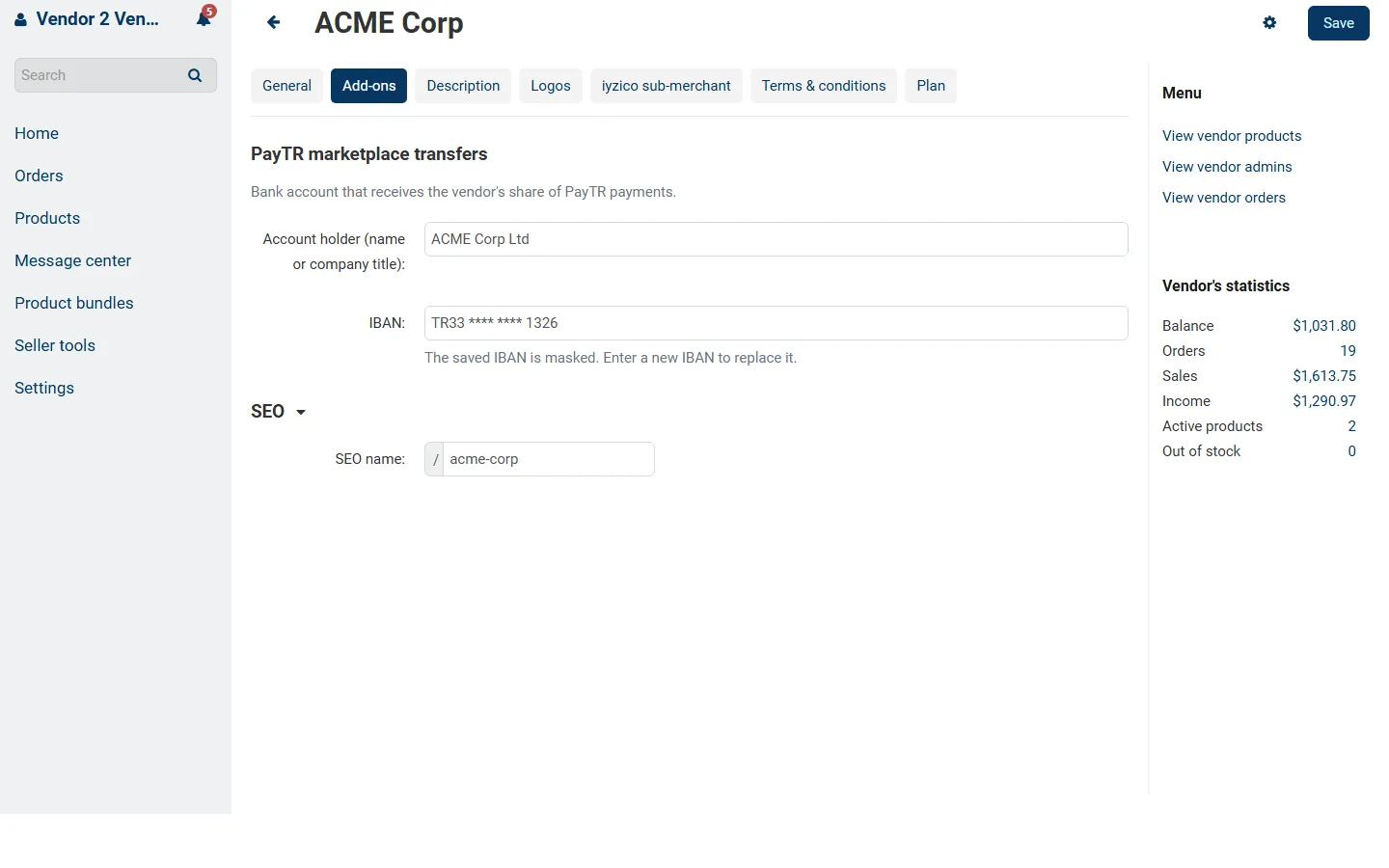
Multi-Vendor vendor panel, profile Add-ons tab: “PayTR marketplace transfers” account holder and masked IBAN.