

Usage
Daily use
Section titled “Daily use”- When an order reaches one of the fiscal statuses its receipt is numbered (gap-free) and sent. The order list has a Fiscal receipt column.
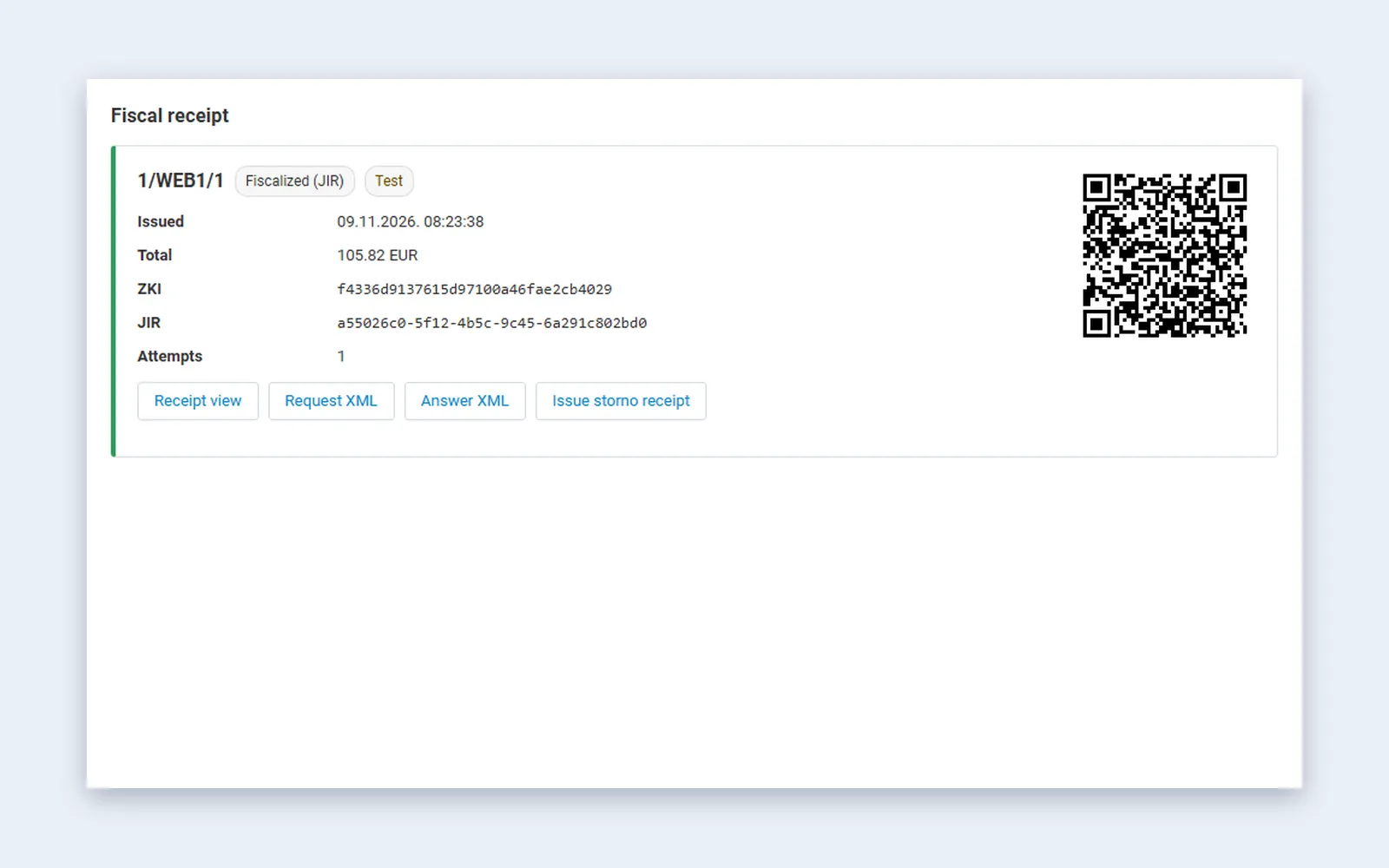
- Open the order, tab Fiscal receipt: number (
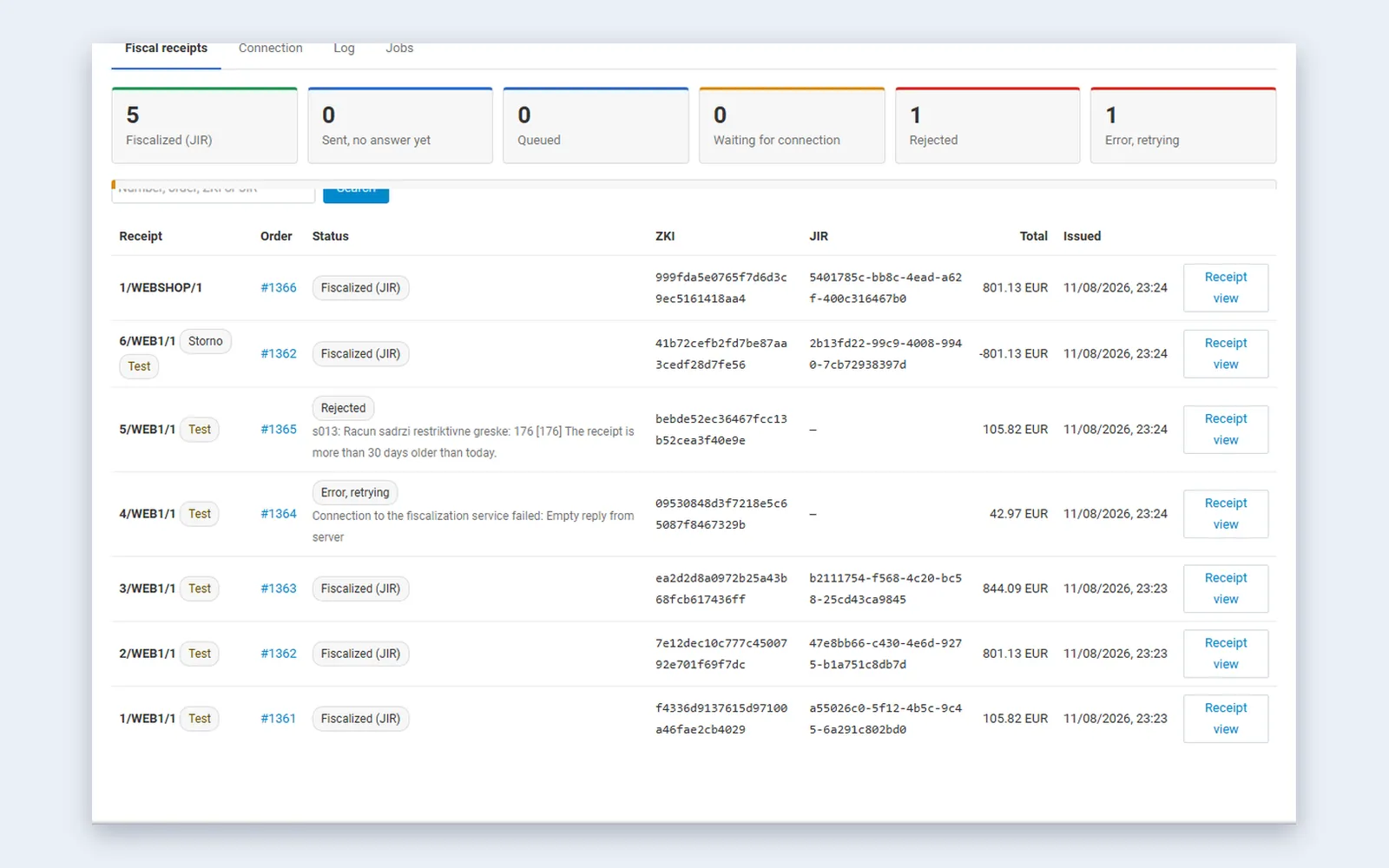
n/premises/device), status, issue time (Croatian time), total in euros, ZKI, JIR and the QR code. Receipt view opens the printable receipt (built from the data stored when the receipt was issued); Request XML / Answer XML download the signed message and the reply. - Fiscal receipts (Orders menu) lists all receipts with ZKI, JIR and status. If paid orders have no receipt (for example the add-on was set up later) a banner offers Fiscalize them now (administrators only).
- Issue storno receipt on a fiscalized order creates a receipt with negative amounts and its own number, once, naming the receipt it cancels. If the receipt has no JIR yet, the storno is queued and issued as soon as it is delivered (“Storno pending” on the tab).
- After a storno, Issue a new receipt gives the order a new receipt with the next number (a re-activated order, or a corrected payment way or buyer OIB: storno plus new receipt, specification 2.1.6). An order set back to a fiscal status after its storno gets the new receipt automatically.
- The customer sees receipt number, ZKI, JIR and QR on the order page (live receipts only) and opens the printable receipt from there.
When something fails
Section titled “When something fails”- No answer or network error: the receipt keeps its number and data and is retried; from the second attempt it is marked as a late delivery. The delivery term (two working days from the first failure) is shown on the receipt.
- Error
s002tos005(certificate, signature, OIB): sending is paused and receipts wait; fix the connection and save it. - Rejected (
s001,s013with codes 176 to 184): the reason is shown; fix the cause and use Send again. A receipt older than 30 days can no longer be delivered.
The receipt your customer gets
Section titled “The receipt your customer gets”The printable receipt shows seller name, address and OIB, receipt number (n/premises/device), date and time, operator mark, the lines with quantity and amount, VAT rate, base and tax per group, total, payment way, ZKI, JIR and the QR code (at least 2 x 2 cm with a white margin), and for a storno the receipt it cancels (Zakon o fiskalizaciji art. 7 and 15(5), Pravilnik art. 17 and 18). Customers open it from their order page; guests open it with the signed link.
The CS-Cart invoice and the order e-mails get a fiscal block under the product table: number, operator mark, payment way, ZKI, JIR, QR code and the link to the printable receipt. The receipt is issued and sent to the tax administration just before CS-Cart sends the status e-mail, so the customer’s “Processed” or “Complete” e-mail (whichever of your fiscal statuses the order reaches first, for example cash on delivery marked Complete directly) already carries the block. The e-mail is sent with your normal notification settings (“Notify customer” of the status); the add-on sends no e-mail of its own. If the tax administration does not answer at that moment, the block shows the receipt number, ZKI and “JIR: being delivered”, and the link to the printable receipt shows the JIR as soon as the late delivery is accepted. While an order has no live receipt, the block says OVO NIJE FISKALIZIRANI RAČUN (art. 29). Only the customer documents (invoice and order summary) get the block; packing slips, supplier orders and RMA documents do not.