

Automated Review Requests screenshots
Real screenshots from our CS-Cart and Multi-Vendor test stores with the add-on installed and the English interface.
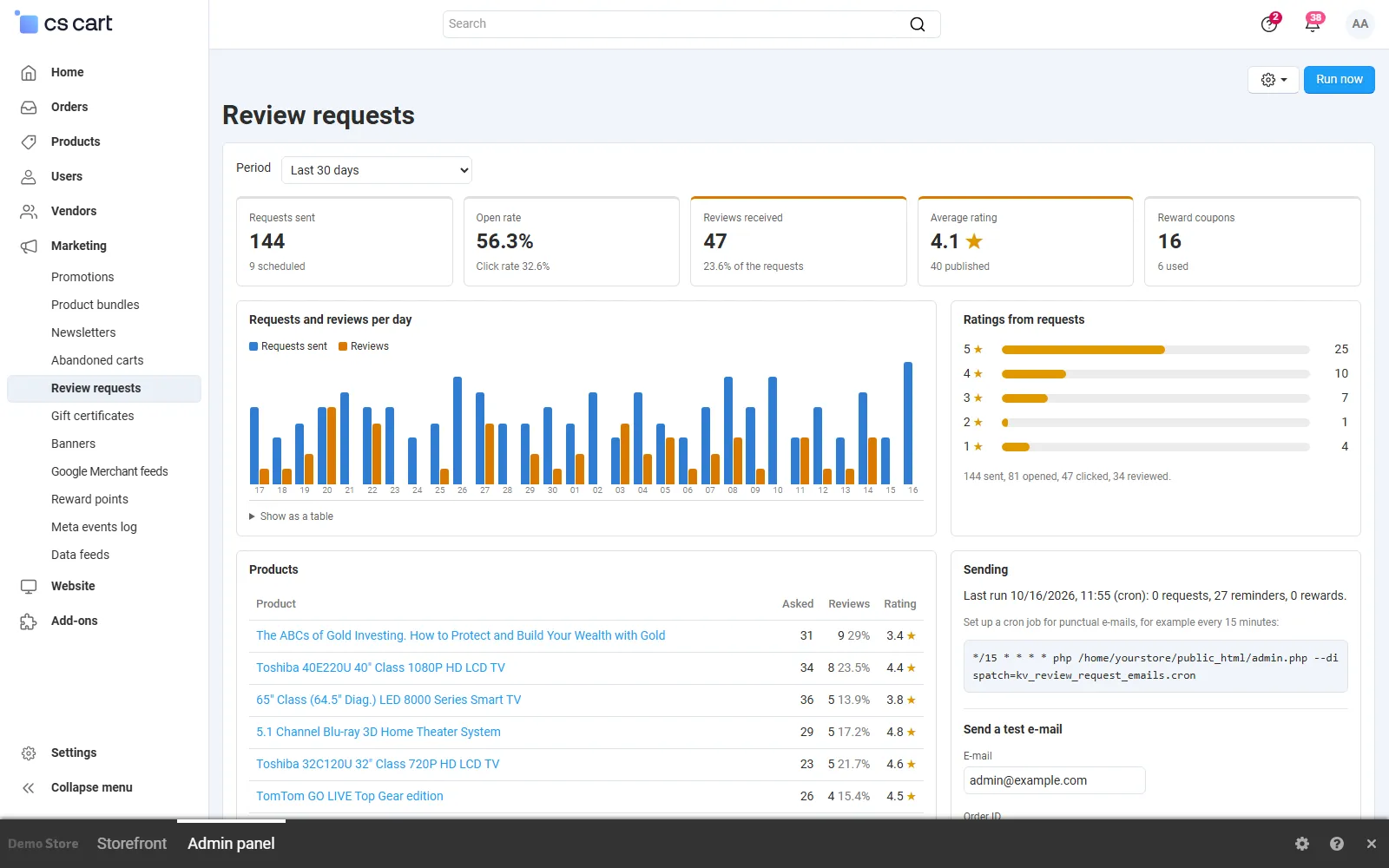
Marketing > Review requests: requests sent, open rate, reviews, average rating and reward coupons, the daily chart and the rating distribution.
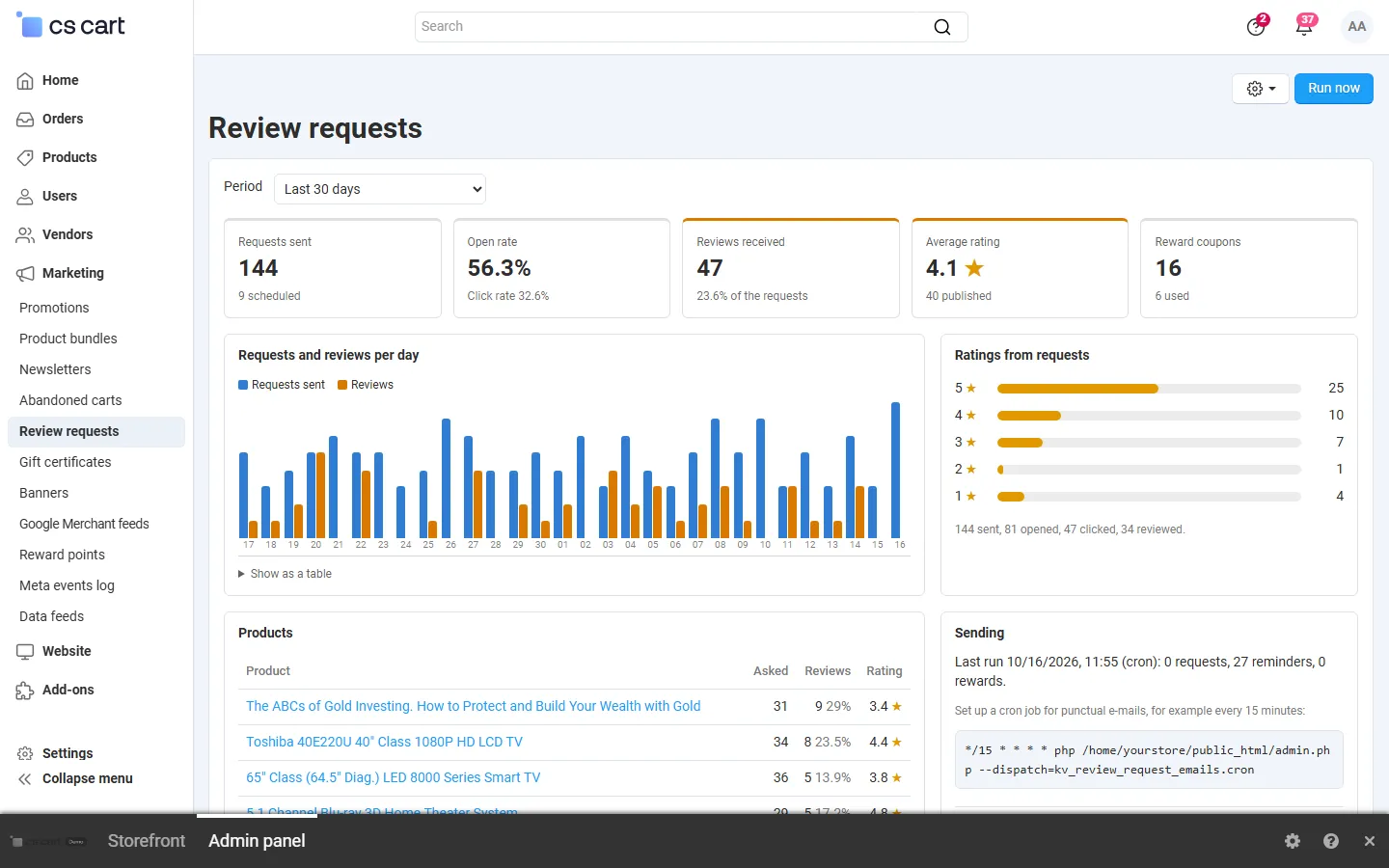
Dashboard: tiles, requests and reviews per day, ratings from requests, products and the sending panel with the cron line.
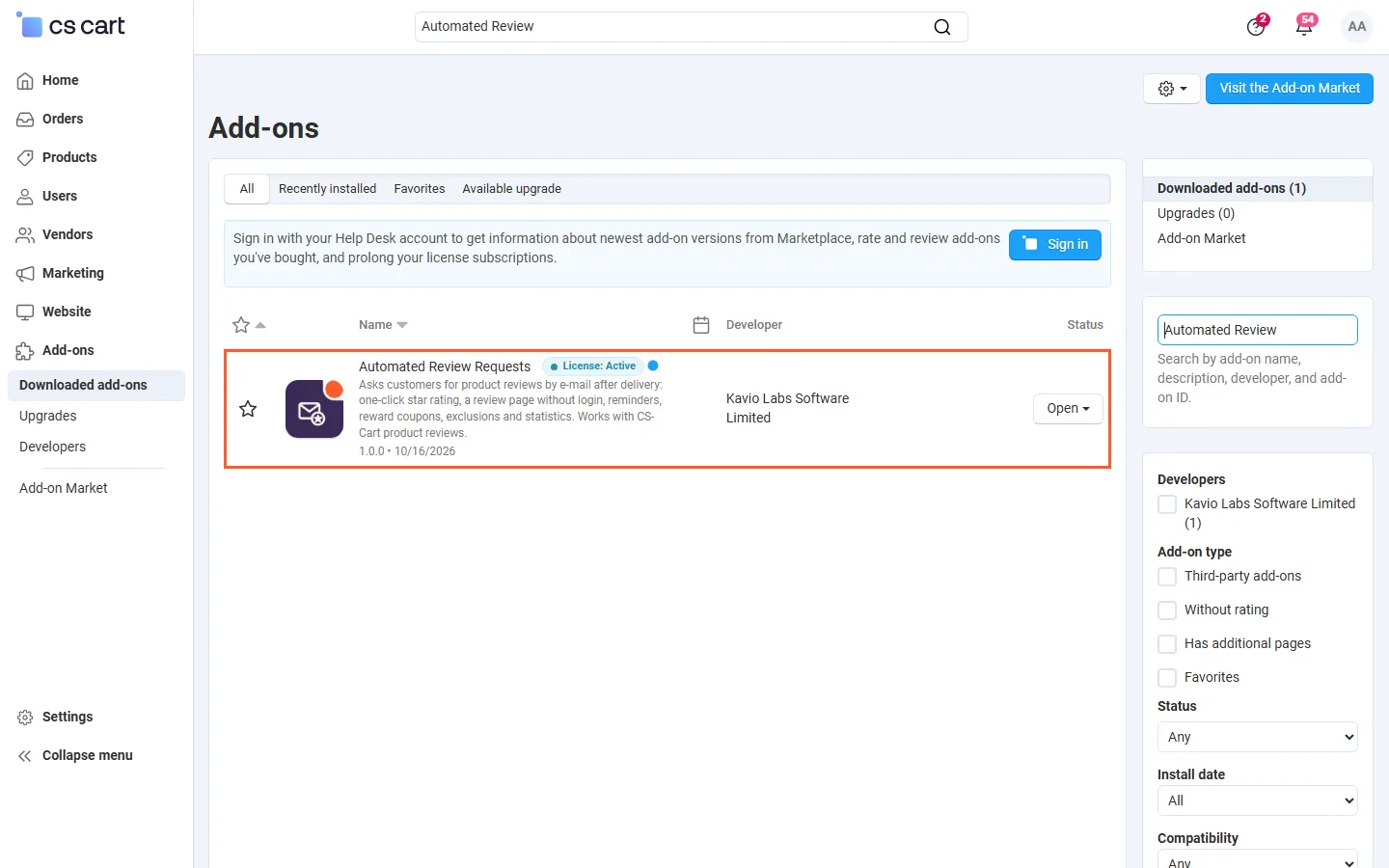
Admin, Downloaded add-ons searched for the add-on (Multi-Vendor 4.21.2). Re-shot by the integration step with the add-on icon.
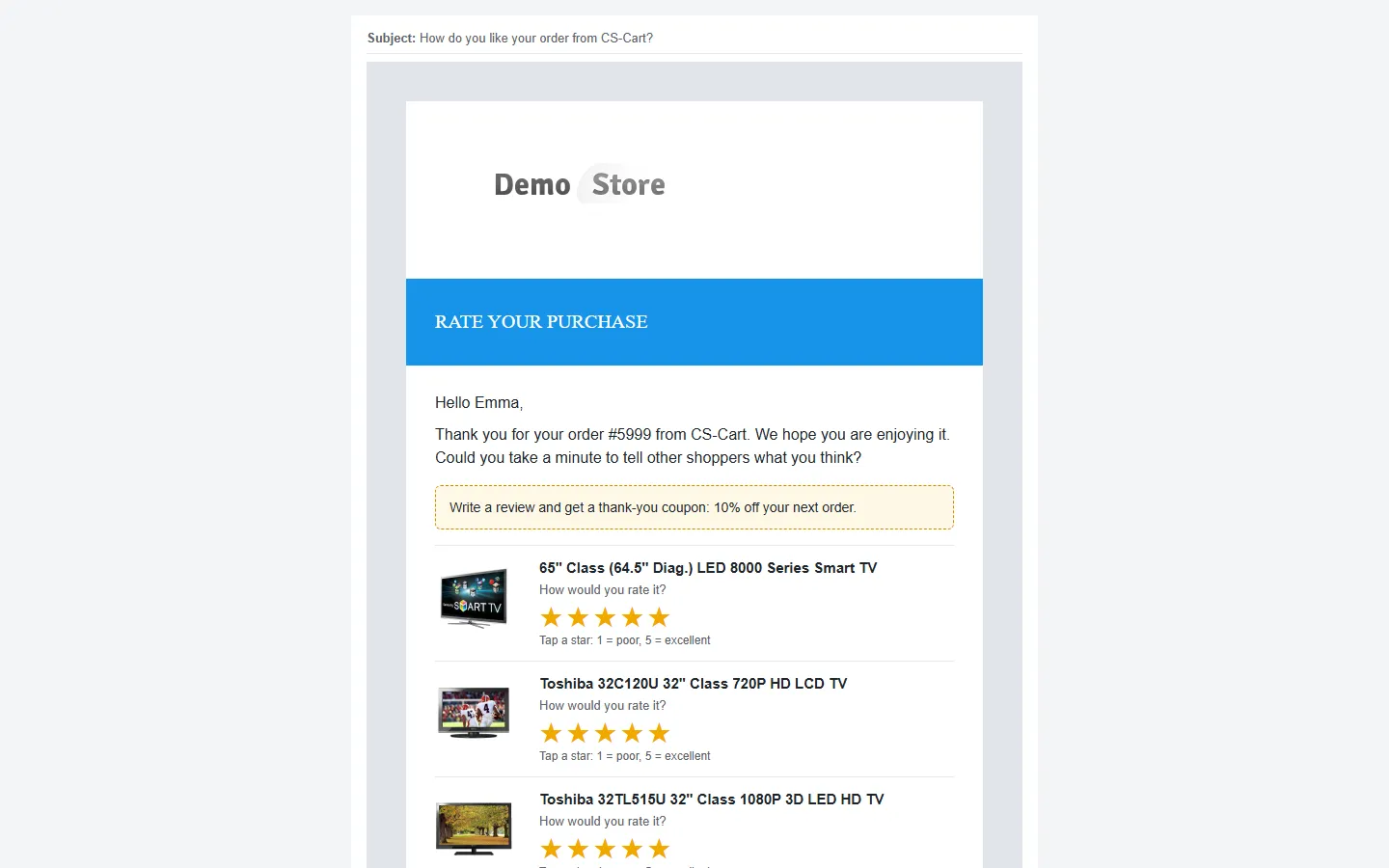
The review request e-mail (admin preview with subject): product pictures with five star links each.
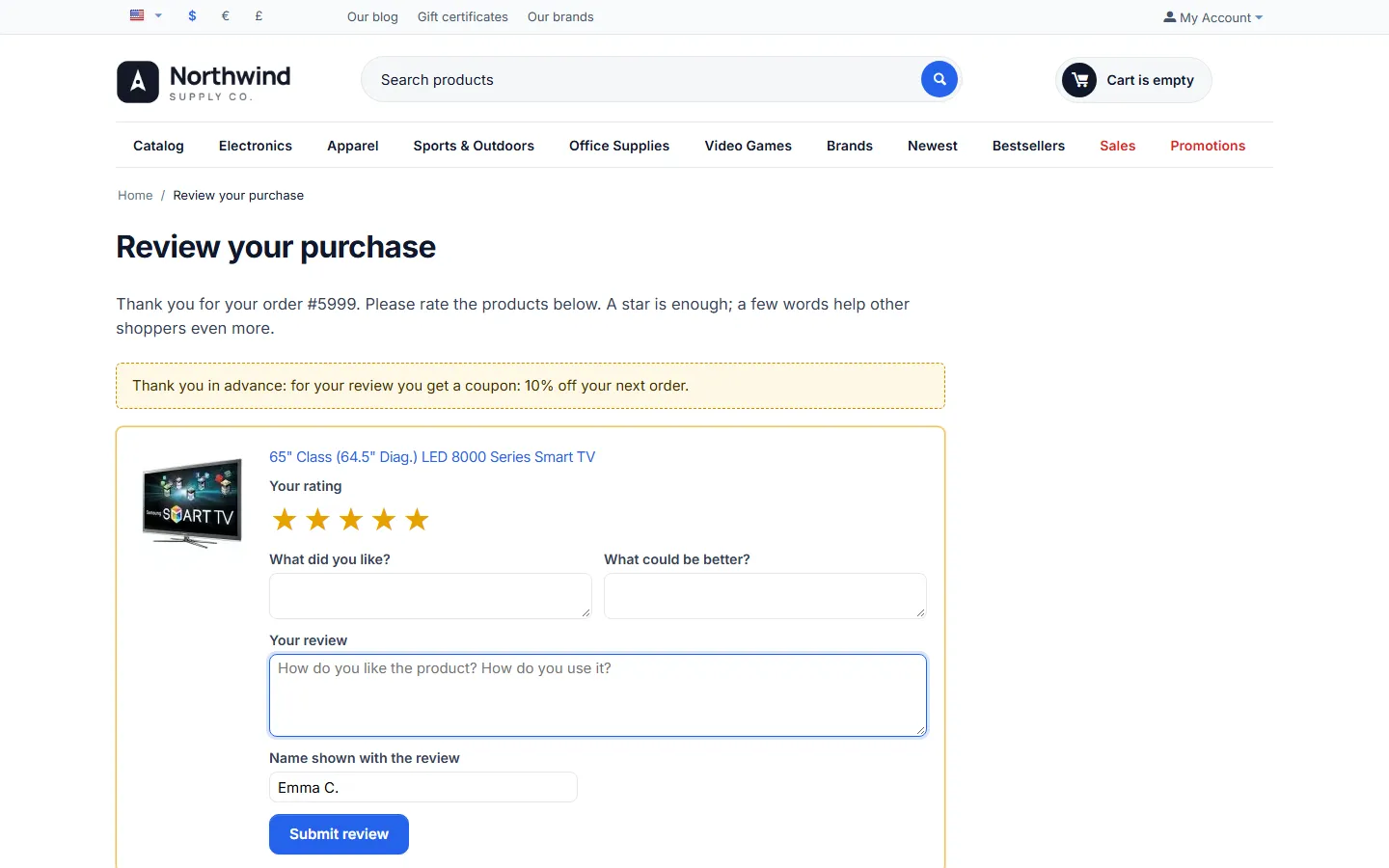
Storefront review page: the tapped product first with 5 stars chosen, pros/cons, review text, display name “Emma C.”.
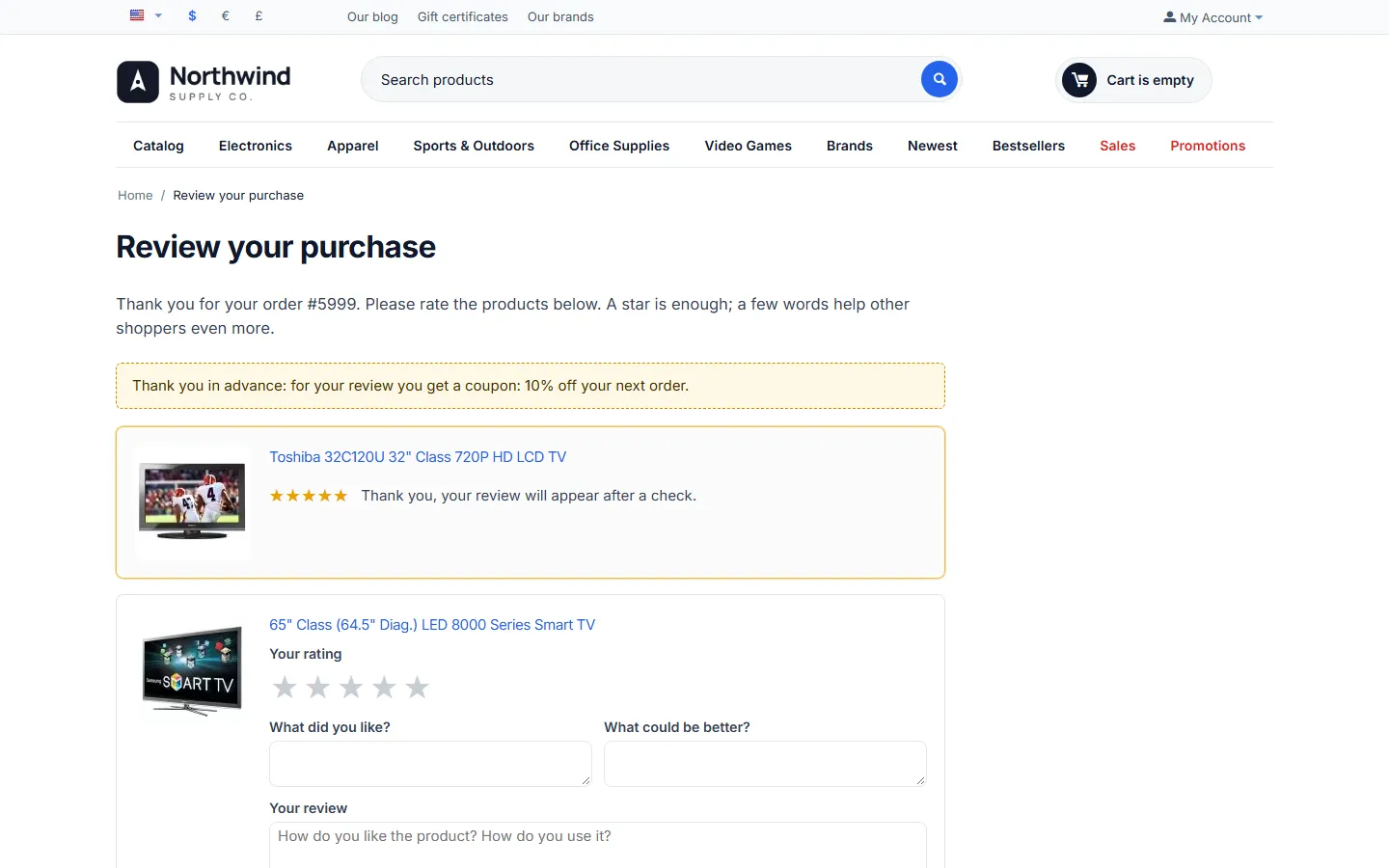
The same page after one product was reviewed: stars and “your review will appear after a check”, the next product below.
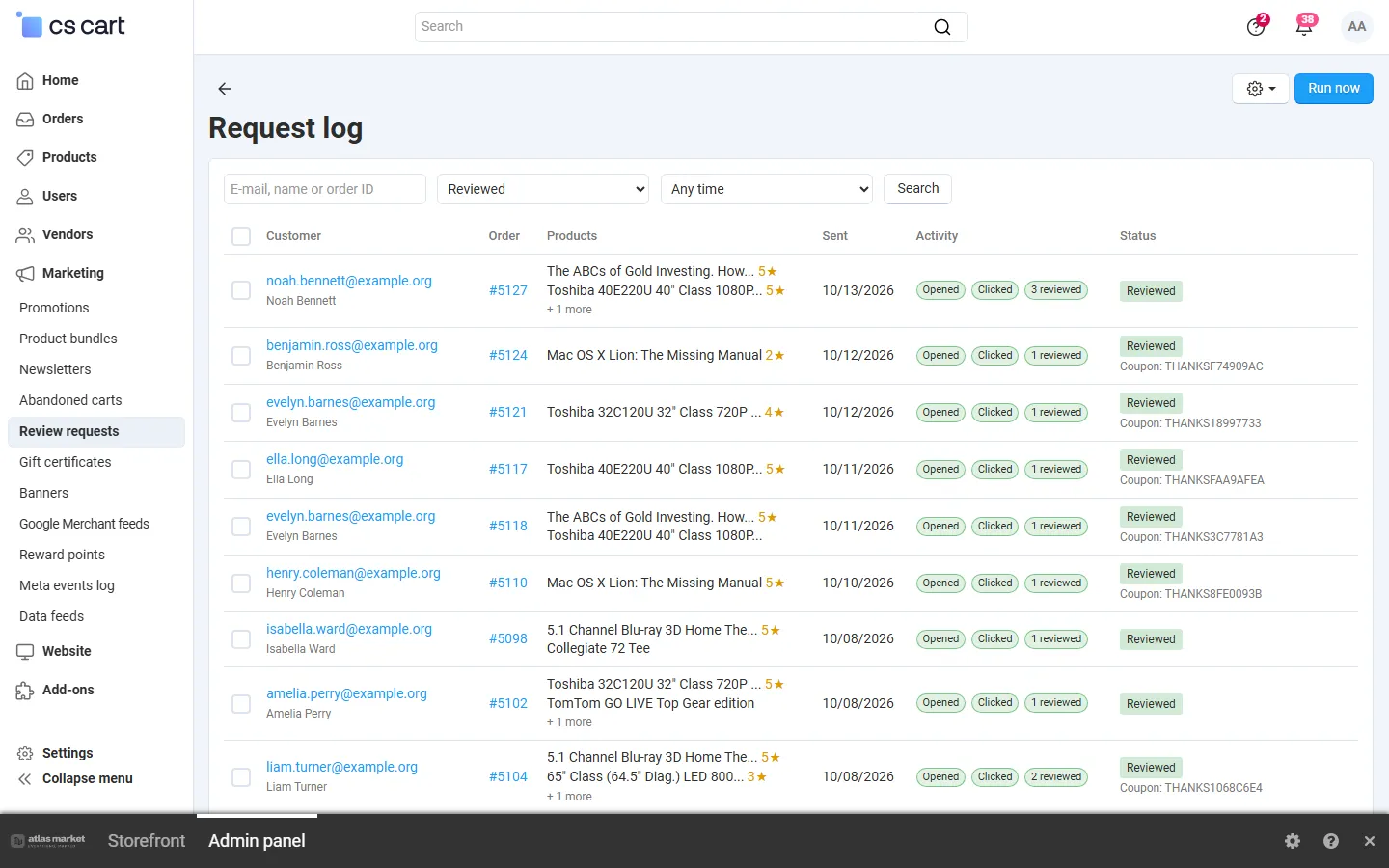
Request log filtered to Reviewed: customers, orders, products with the stars given, activity flags and reward codes.
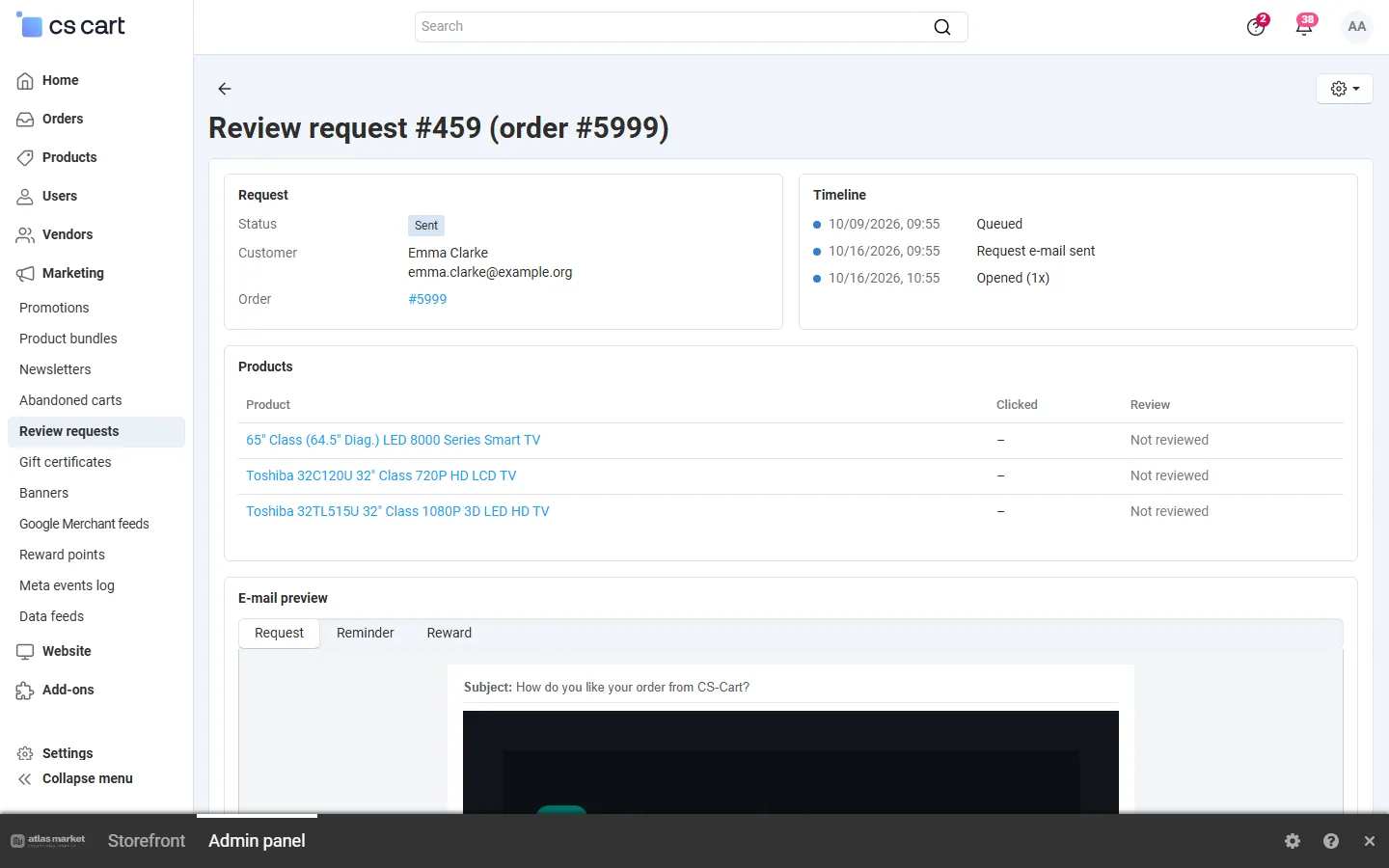
Request page: status, customer, timeline, products with review state and the e-mail preview tabs.
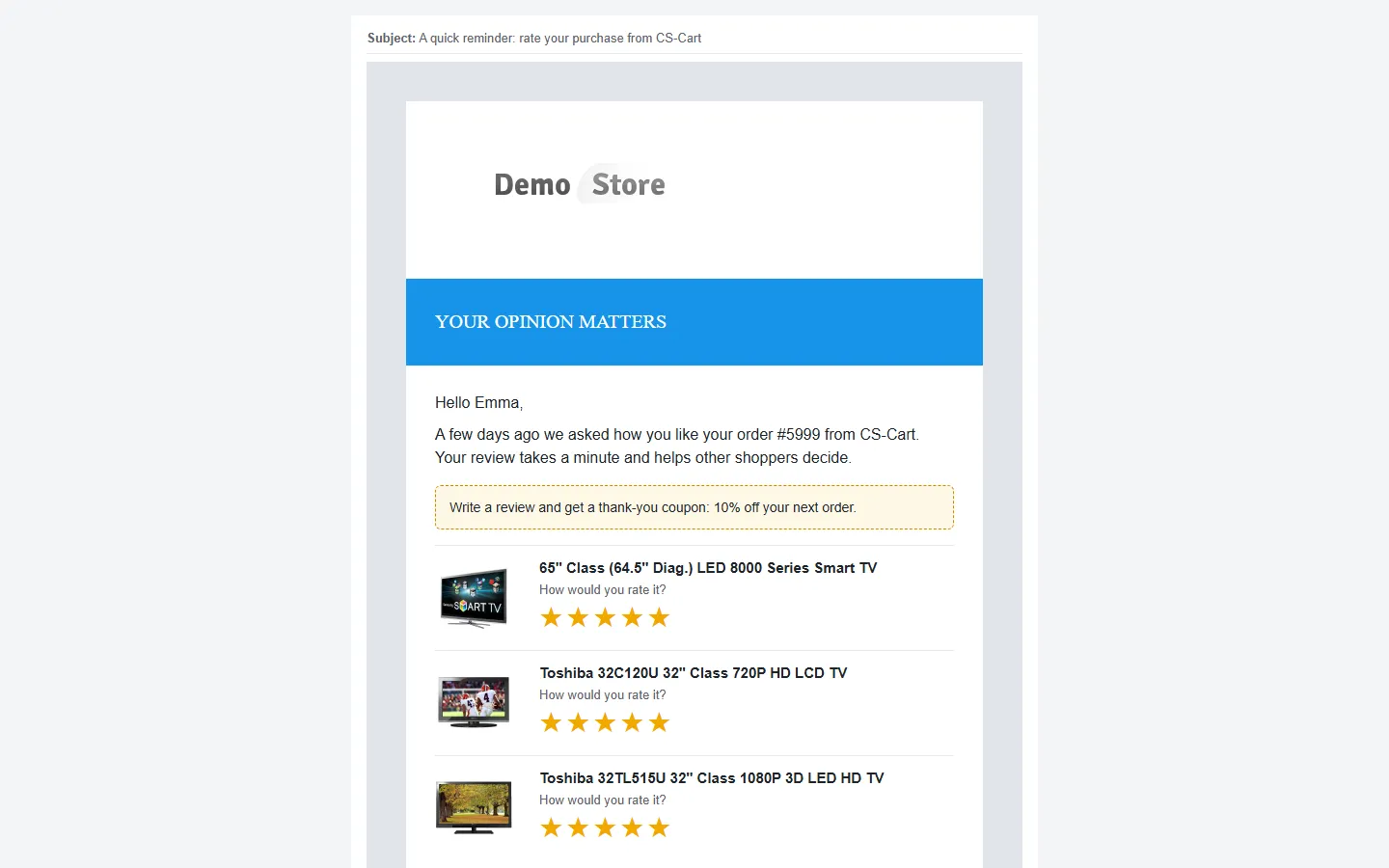
The reminder e-mail (admin preview).
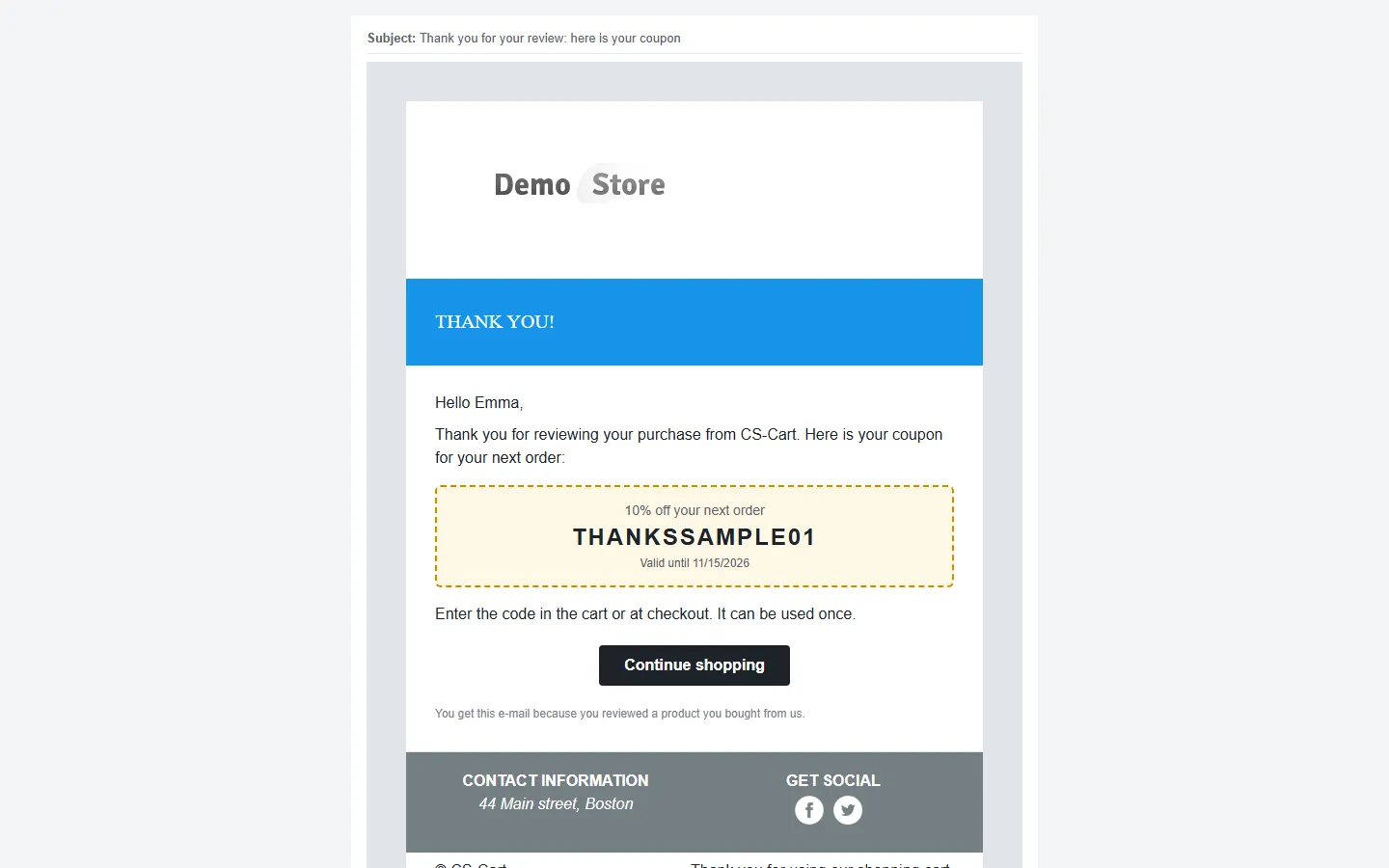
The reward e-mail with a unique coupon code, what it gives and its expiry.
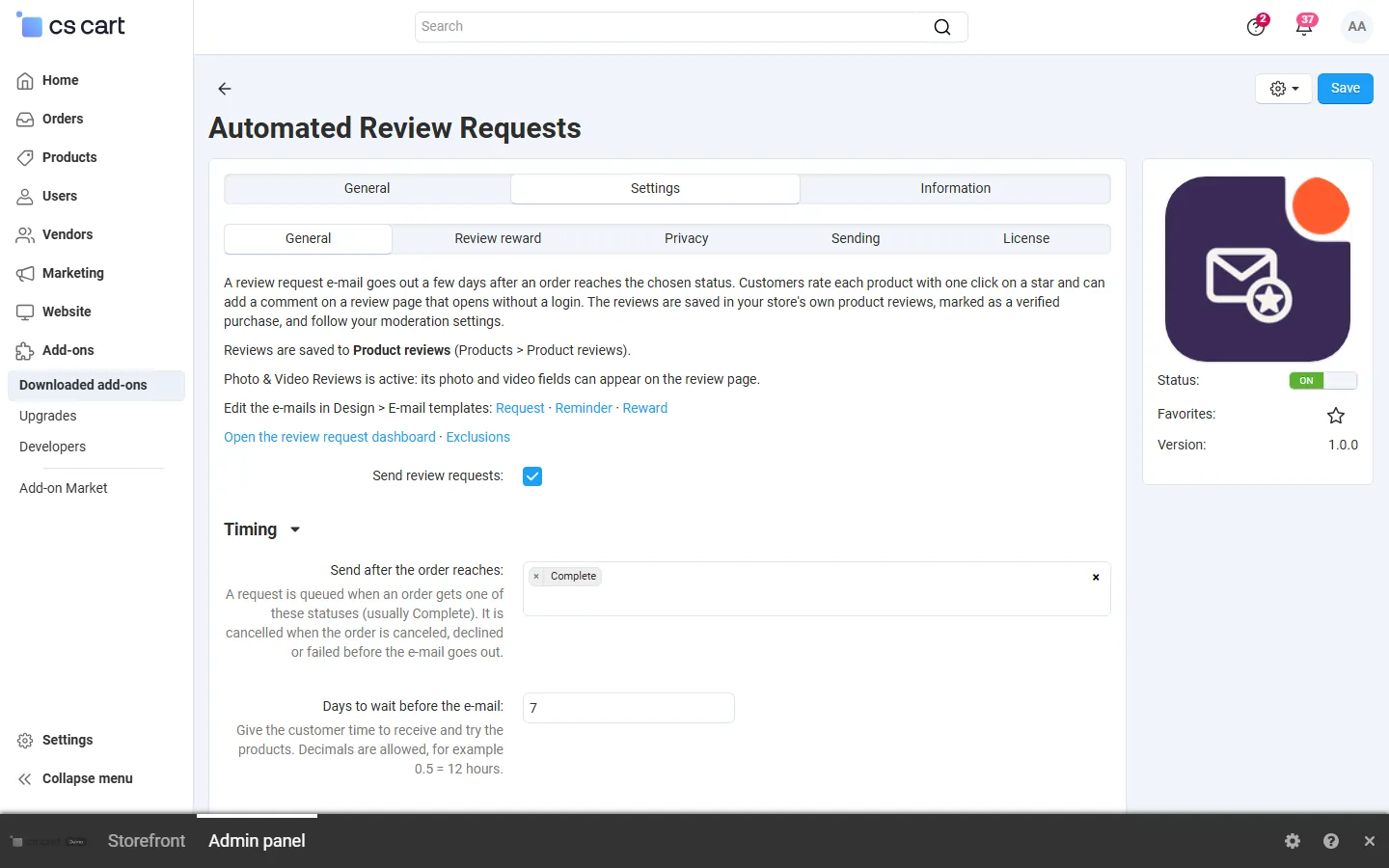
Settings, General: trigger statuses, delay, reminder, e-mails per order, review form, link validity and limits.
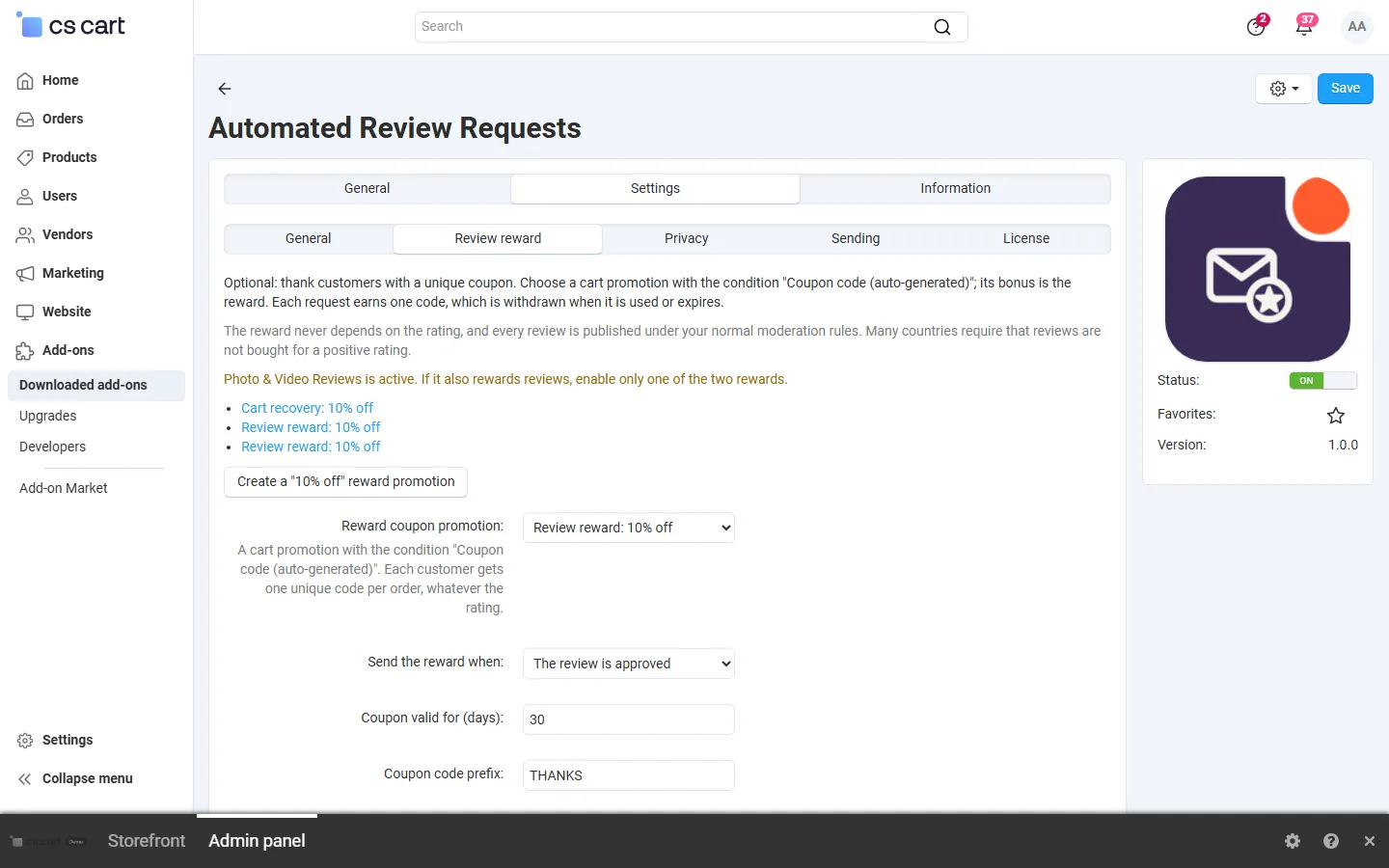
Settings, Review reward: promotion, “approved” or “submitted”, validity, prefix, the fairness note and the promotion helper.
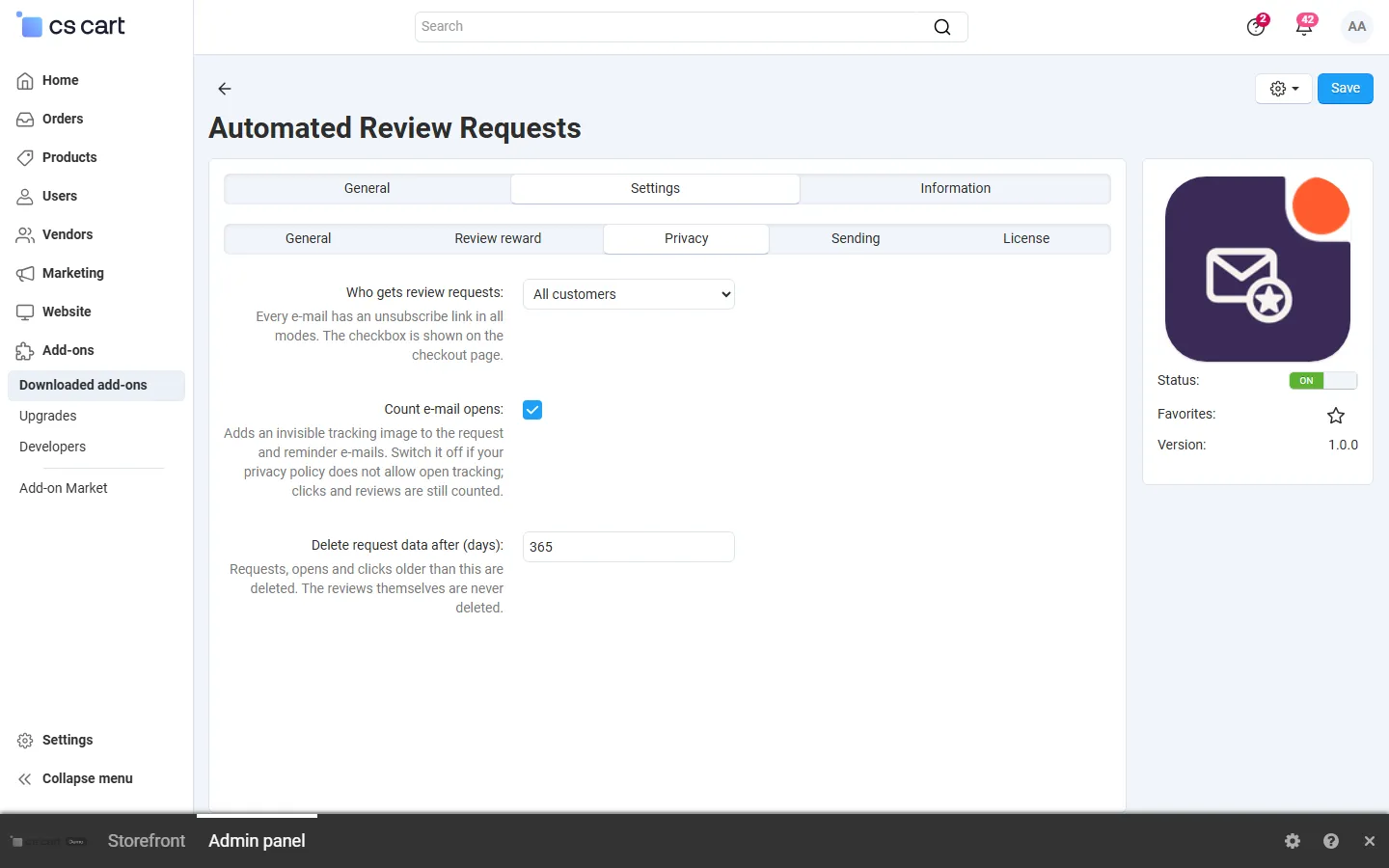
Settings, Privacy: who gets requests (all, ticked checkbox, opt-in), open tracking and retention.
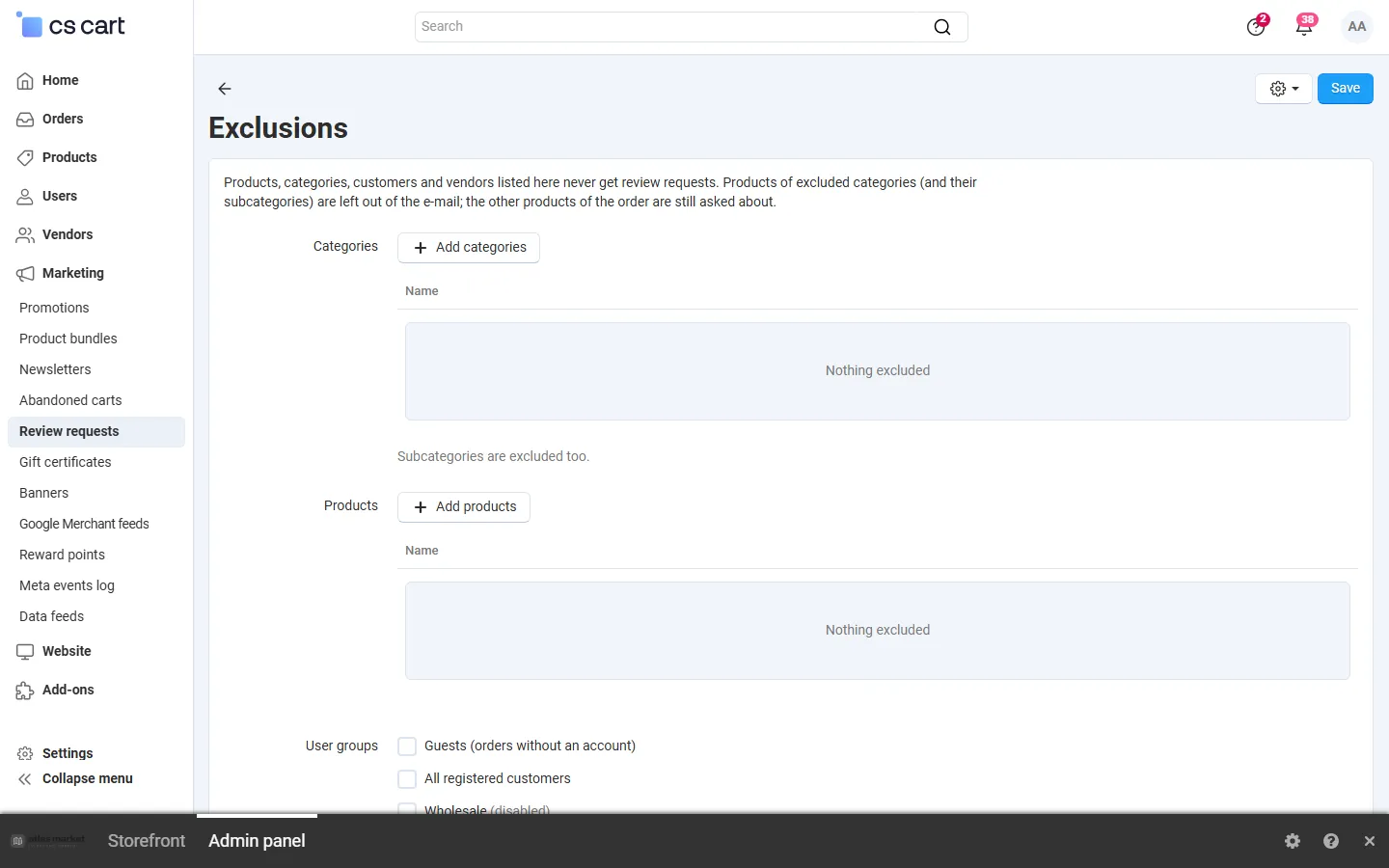
Exclusions: categories, products, user groups (guests, registered customers) and vendors.
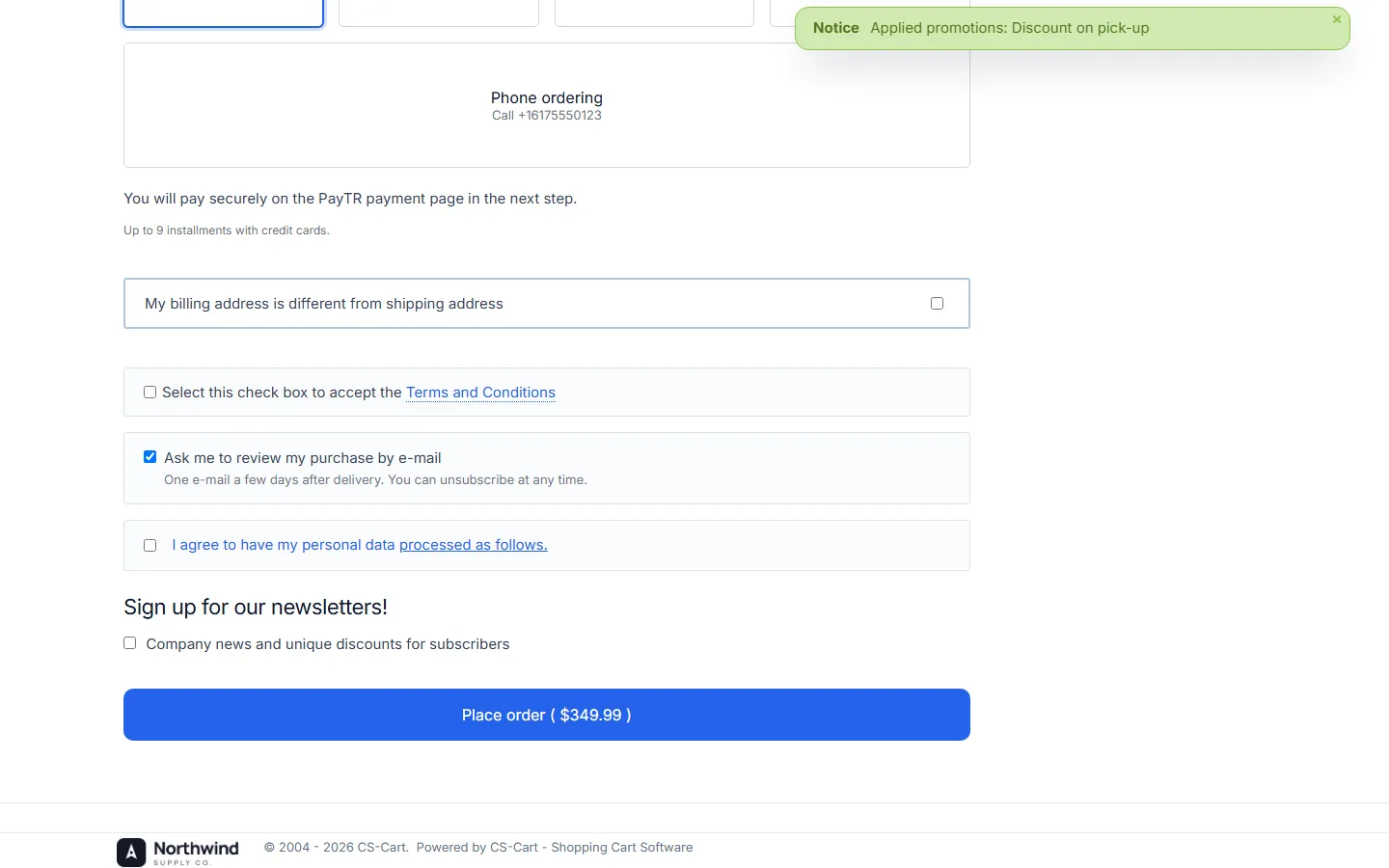
Storefront checkout (cs417): “Ask me to review my purchase by e-mail” under the terms.
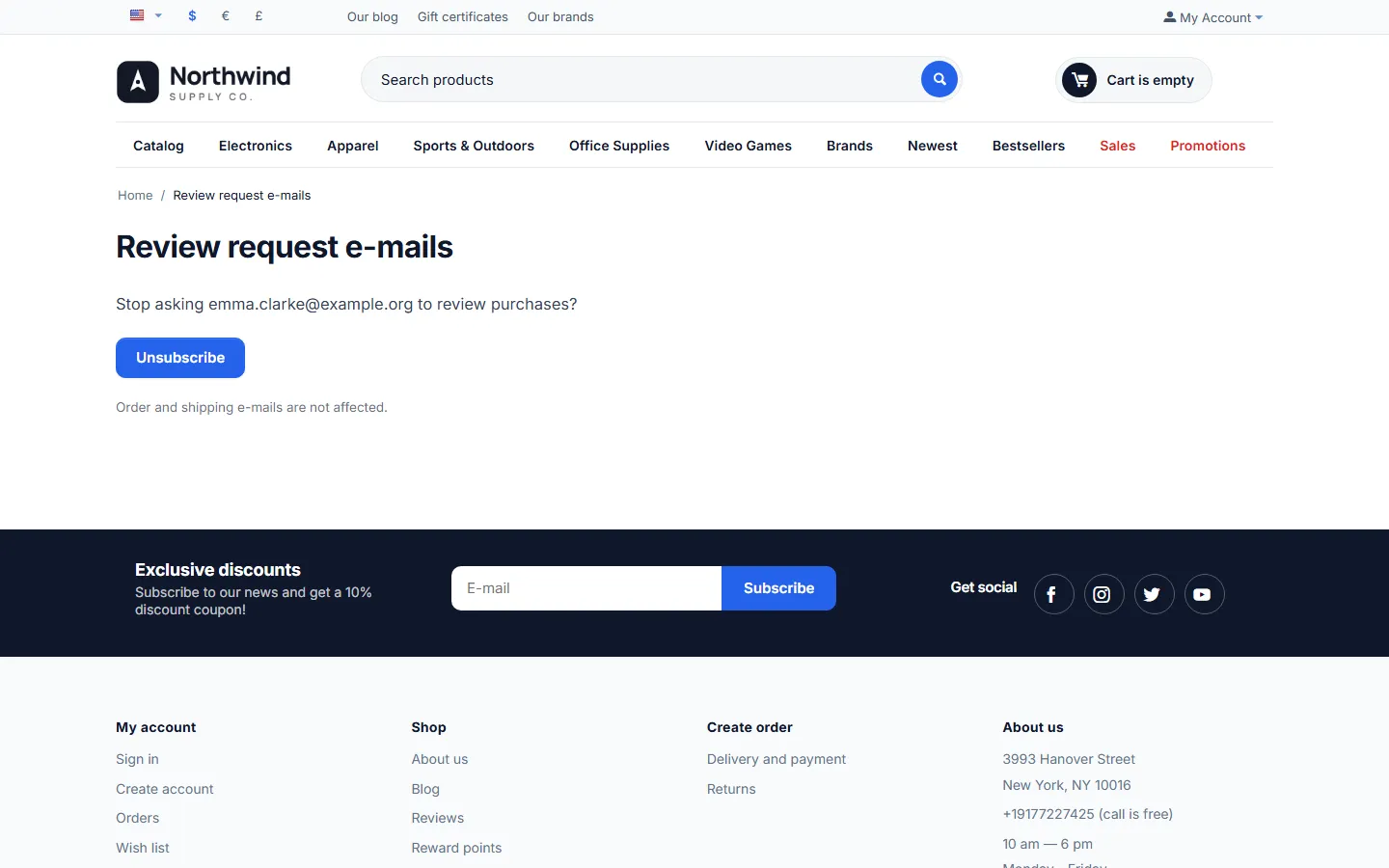
Unsubscribe confirmation page opened from the e-mail.
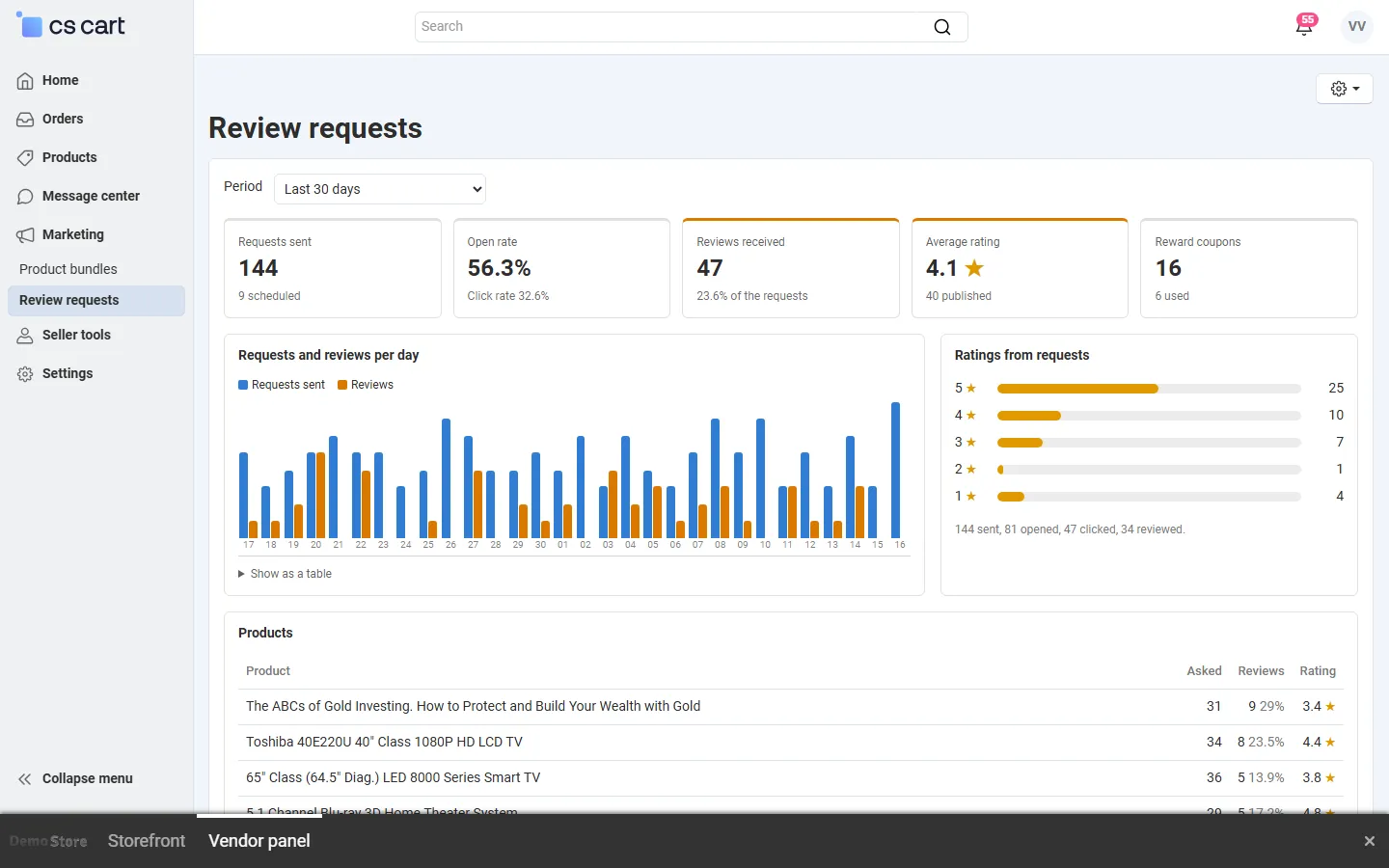
Vendor panel, Marketing > Review requests: the vendor’s own statistics, read-only.
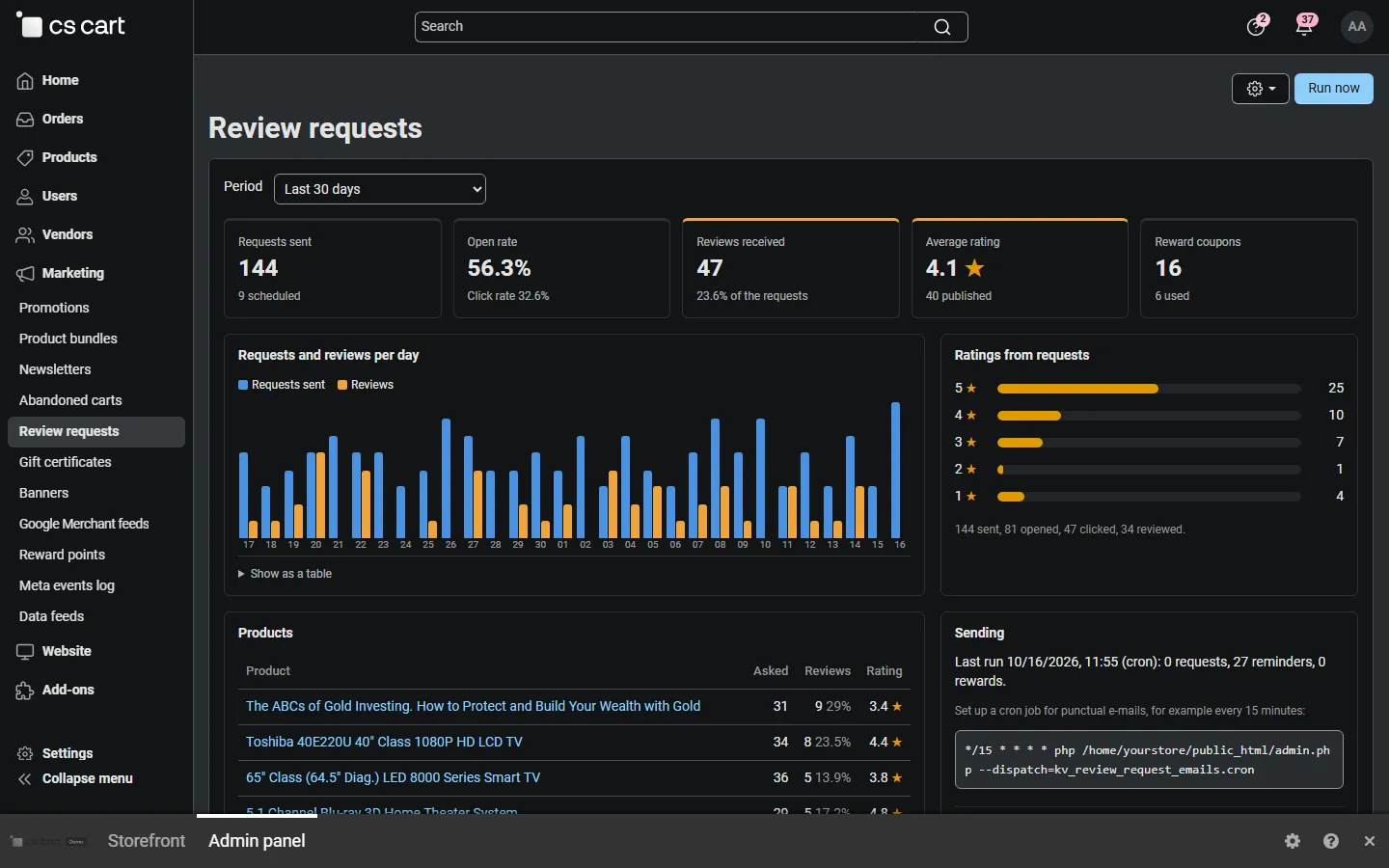
Dashboard in the 4.21 dark back-office scheme.