

Real-Time Order Alerts
Add-on ID: kv_order_alerts · Edition: CS-Cart & Multi-Vendor · Latest version: 1.0.1 · Compatible with: CS-Cart & Multi-Vendor 4.17.2 – 4.22.x, PHP 7.4 – 8.3 · Changelog: view
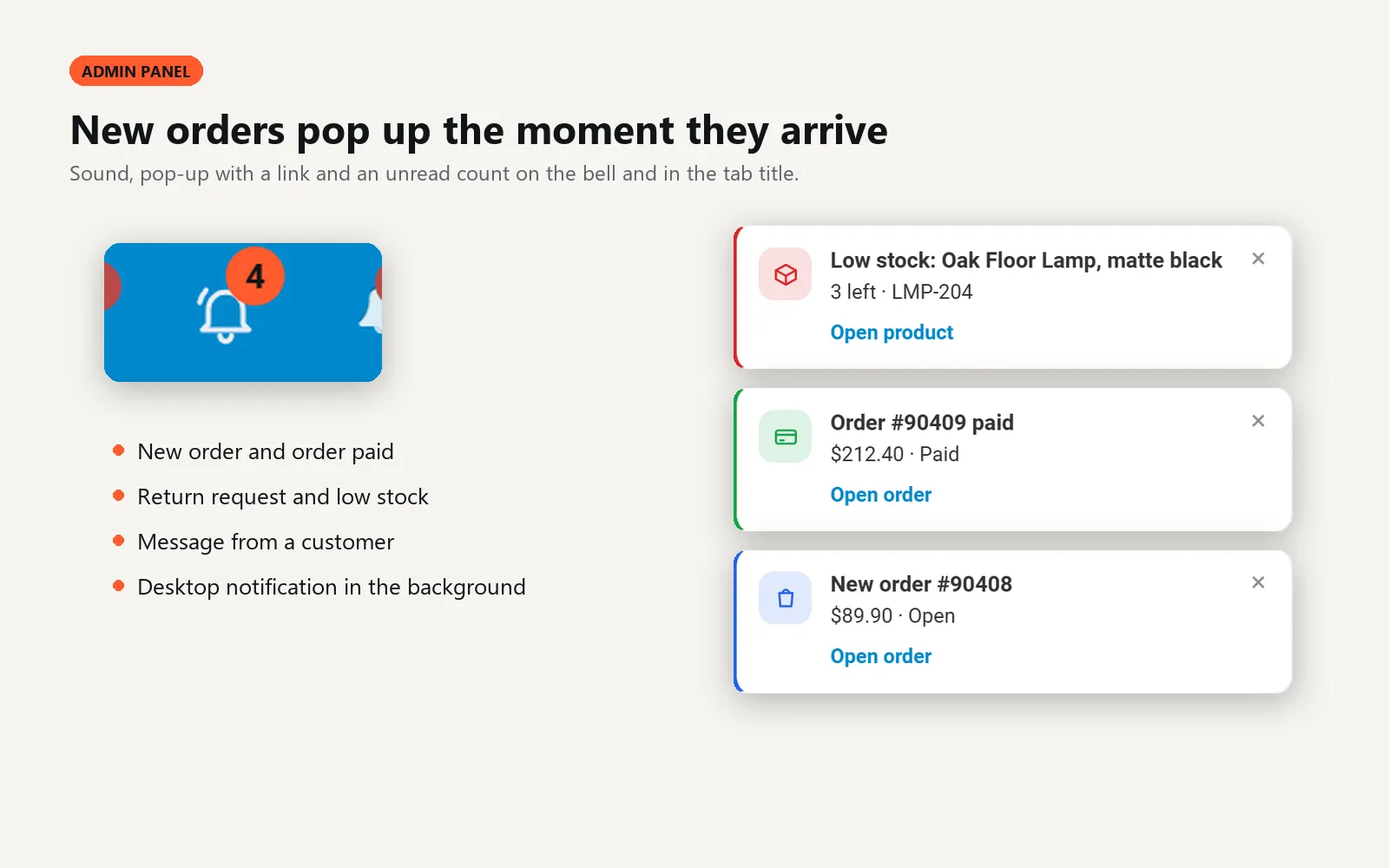
Real-Time Order Alerts announces new orders, payments, return requests, low stock and messages inside the admin panel and the Multi-Vendor vendor panel: a short sound, a desktop notification when the panel tab is in the background, an unread count in the browser tab title and a pop-up with a link to the item.
It is an in-panel alert. Nothing leaves your store: there is no bot, no push service and no external account. The open panel tab asks your own store for new events every few seconds, with one small indexed database query per check.
Key features
Section titled “Key features”- Events: new order, order paid (into a status you pick), return request (core RMA add-on), low stock (threshold), new message (core communication add-on).
- Ways to alert: five built-in sounds with volume, desktop notifications (asked only when the user clicks Allow), the unread count in the tab title and on the bell, pop-ups with a link, and a bell list of the latest alerts.
- Personal rules: every administrator and vendor staff member picks their own events, sound, volume, pop-ups, tab badge, desktop notifications and quiet hours. Mute for 1 hour is one click away.
- Cheap and polite: one tab per user checks for all open tabs, an interval setting, backoff after errors, a slower check in a hidden tab and a full stop after a set time in the background.
- Keeps the automatic sign-out: checking pauses when nobody uses the panel for the store’s session lifetime (2 hours by default), so idle sessions still expire.
- Multi-Vendor: vendors get alerts for their own orders, stock and messages only. The marketplace owner sees the vendor name in each alert.
- CS-Cart Ultimate: alerts follow the storefront picked in the panel; on All storefronts each alert names its storefront.
- Orders Admin Pro: on its order desk, the pop-up opens the order in the quick view.
- No storefront output: the add-on adds nothing to the storefront, so the full page cache of CS-Cart 4.21 is untouched.
How it differs from Telegram, WhatsApp and web push add-ons
Section titled “How it differs from Telegram, WhatsApp and web push add-ons”| Real-Time Order Alerts | Messenger / push add-ons | |
|---|---|---|
| Where the alert appears | In the open admin or vendor panel tab, plus a desktop notification from that tab | On a phone or in a messenger app |
| External service | None | Bot, messaging API or push service |
| Works when no panel tab is open | No | Yes |
| Setup | Install, click Allow once | Accounts, tokens, subscriptions |
Use both if you want: our Order Notifications for Telegram & WhatsApp covers phones; this add-on covers the desk.
Compatibility
Section titled “Compatibility”- CS-Cart, CS-Cart Ultimate, Multi-Vendor and Multi-Vendor Ultimate 4.17.2 – 4.22.x (tested on CS-Cart 4.17.2 Ultimate and Multi-Vendor 4.17.2; 4.18 and later use the same hooks).
- PHP 7.4 – 8.3, as supported by your CS-Cart version.
- Desktop notifications and sounds work in current Chrome, Edge, Firefox and Safari.
License
Section titled “License”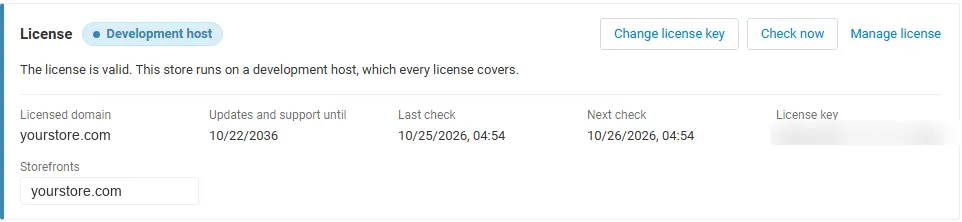
The alerts need a valid license. See License for what happens without one.
Documentation
Section titled “Documentation”| Page | Contents |
|---|---|
| Installation | Requirements, install, what the installer changes, uninstall |
| Configuration | Every setting, privileges, the license |
| Usage | The bell, pop-ups, personal preferences, quiet hours, vendors |
| Developer notes | Events, tables, the poll endpoint, hooks, file map |
| FAQ | Common questions |